Getting Started with Kron PAM Mobile Client Application
Downloading the App
Download the Kron PAM Mobile Client Application from the App Store or Google Play Store.
Connection Settings
If the Kron PAM Mobile Client Application is downloaded for the first time, the Kron PAM server info should be added to it. After that, the user can log in with his/her credentials. Note that if the user only wants to use the offline token feature, configuring the connection settings is not necessary.
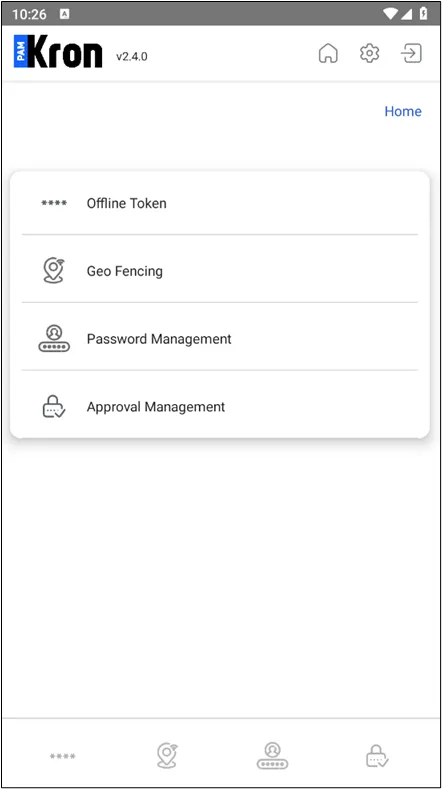
Only non-rooted / non-jailbroken devices can use the Kron PAM Mobile Client Application. If the device is rooted or jailbroken, the Kron PAM Mobile Client Application won’t start. This control is called app check and requires a proper Internet connection. If the user has no Internet connection or low-speed Internet, the app check will not be controlled properly, and the user will solely use offline features.
To Configure your Kron PAM Mobile Client:
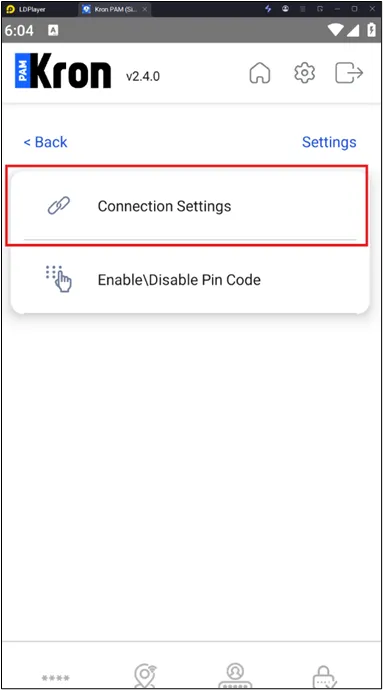
- Tap on Settings and then Connection Settings.
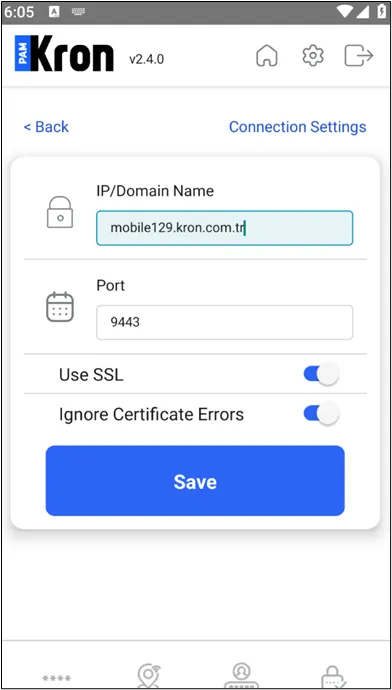
- Enter the Kron PAM server IP address (e.g.,10.10.10.10) or domain name (e.g., mobile10.kron.com.tr) in the Kron PAM URL and add the Port (e.g., for HTTP the port could be 9080 or for HTTPS the port could be 9443 and make sure to toggle the Use SSL option on).
- If the user has a self-certificate on the Kron PAM server, you can enable Ignore Certificate Errors.
- Save.