HTTP Proxy Configuration on the Kron PAM Desktop Client
1 min
Adding the HTTP Proxy Certificate to the Trusted Certificate Store
If the HTTP Proxy certificate is not added to the trusted certificate store yet, the Certificate Error pop-up will appear when the user attempts to log in through the HTTP Proxy. This pop-up will prompt the user to download and install the HTTP Proxy certificate in the related store on the OS.
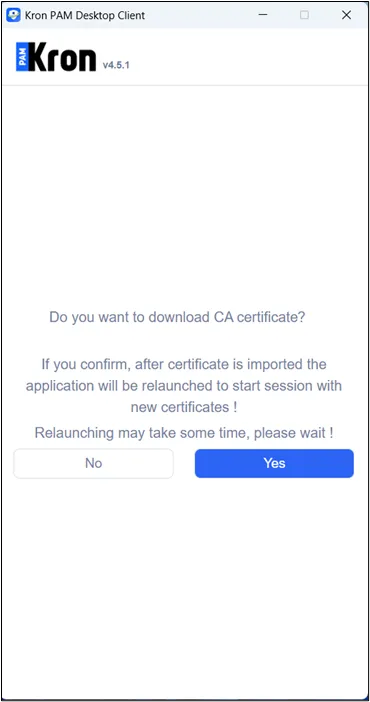
Press the Yes button to install an HTTP Proxy certificate. After this, the HTTP Proxy certificate can be found:
- C:\Users\{user}\AppData\Roaming\Krontech Single-Connect\additionalResources on Windows OS.
- /home/Krontech Single-Connect/additionalResources on Linux OS.
- /Users/{user}/Library/Application Support/Krontech Single-Connect/additionalResources on macOS.