Multi-Factor Authentication (MFA)
3 min
Kron PAM can be leveraged for Multi-Factor Authentication. The definitions for Multi-Factor Authentication are configured and tested by the system admin during deployment.
Kron PAM’s MFA is available in online/offline modes with the Kron PAM Mobile Client Application and SMS verification.
Offline Mode
- Download the Kron PAM Mobile Client Application from the App Store or Google Play Store.
- Log in to the Kron PAM Web GUI.
- Navigate to User Settings > MFA Token. A QR code and activation code will be displayed. A new QR code and activation code can be generated by clicking the Generate New Key button.
- Open the Kron PAM Mobile Client Application. Navigate to Offline Token > QR Code or Manual.
- Scan the QR code or enter the activation code manually on the Kron PAM Mobile Client.
- A Multi-Factor Authentication code will be generated for a predefined time interval on the Kron PAM Mobile Client Application.
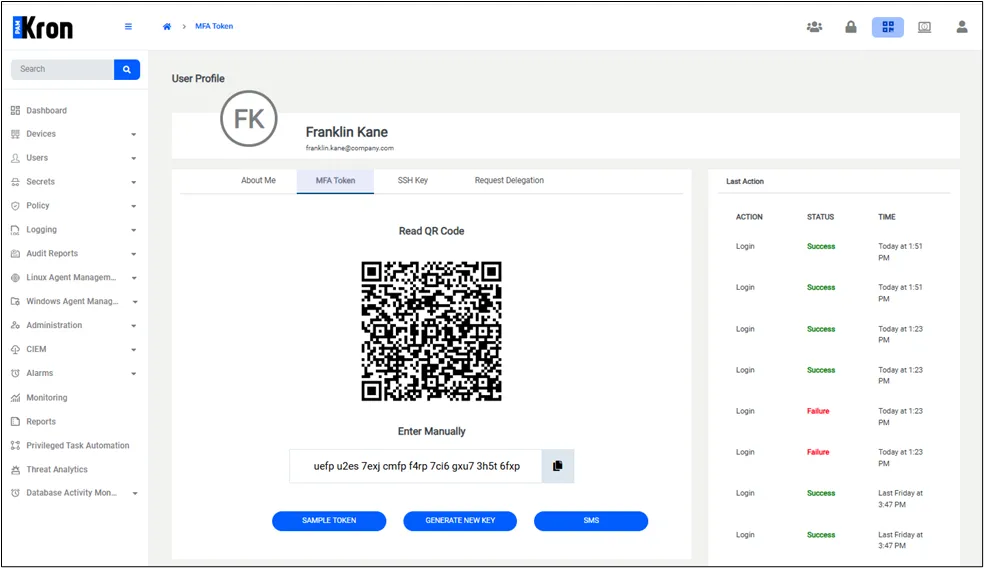
Multi-Factor Authentication (MFA) Activation Menu
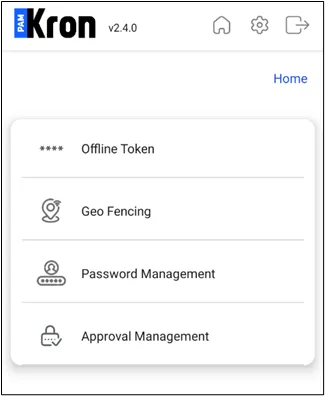
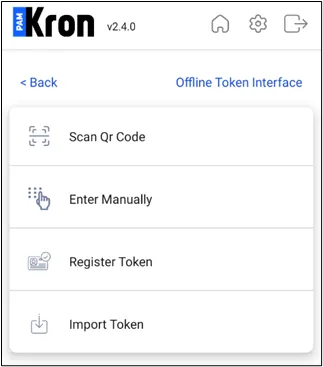
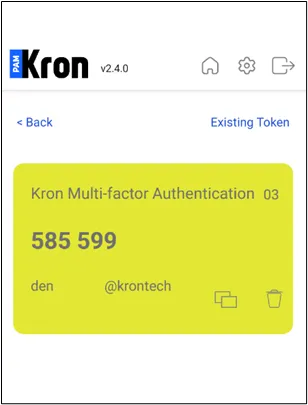
SMS Verification
When a new token is generated by Kron PAM, it will be sent to the user via SMS.
Assign Hardware Token
The hardware token provided to the users can be stored on Kron PAM.
- Navigate to Administration.
- Open the Hardware Token Management tab.
- Click on to Add button and select Assign Hardware Token.
- Enter the serial number of the device to which the hardware token is assigned.
- Click Save.
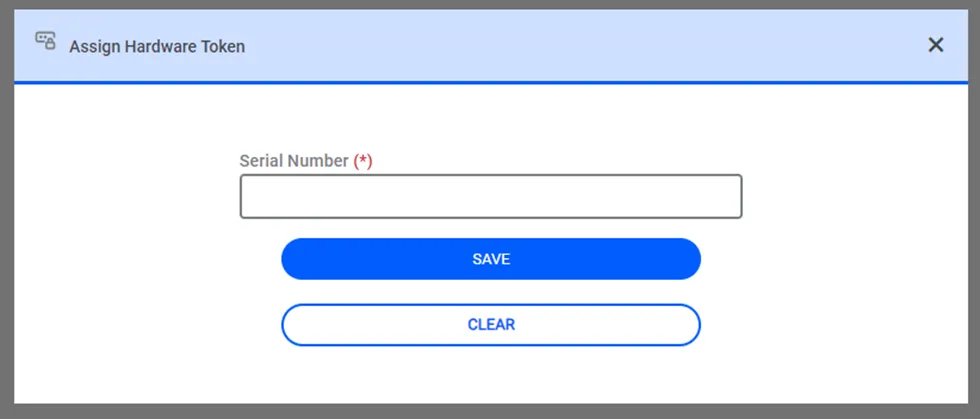
Assign Hardware Token