Connect to Target Device Feature on the Kron PAM Desktop Client
1 min
To use the Connect to Target Device feature, the user should press the Connect to Target Device button. Once the user presses this button, the following screen should be shown to the user, and the user should fill in the IP Address/Domain Name, Access Protocol, and Port Number.
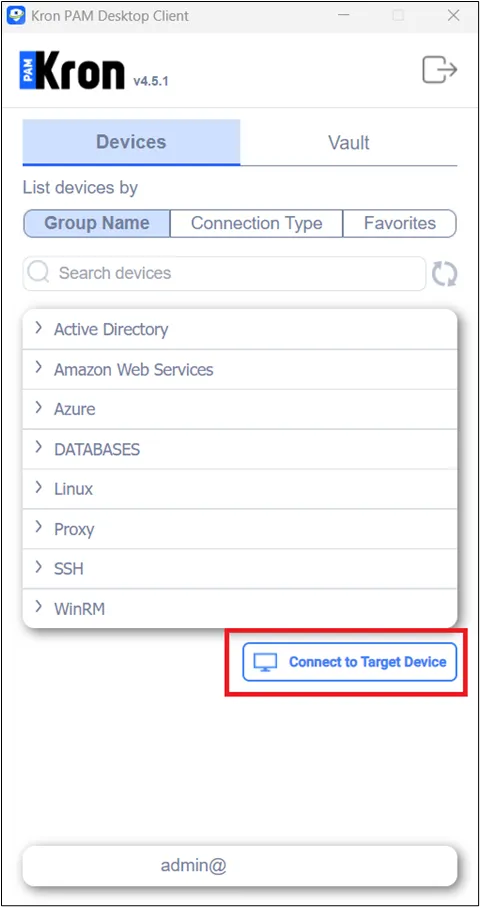
Using the connect to target device feature on Kron PAM Desktop Client
After pressing the Connect button, all the existing controls defined in the Kron PAM Web GUI will be applied to the Desktop Client as well. (subnet control, auto discovery control, “Device Connection with IP” portal, right, etc…)
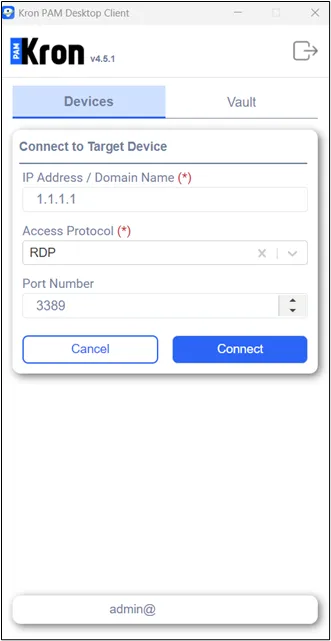
Using the connect to target device feature on Kron PAM Desktop Client