Connecting to Target Device with IP Address for RDP Proxy
1 min
This feature ensures the device inventory remains current by automatically updating and reassigning devices to the right groups, even with changing IP addresses. It helps users easily access devices based on their IP and protocol.
To enable this feature, the aioc.device.connect.with.ip and netright.discovery.moduleVisibility functions must be added to the Realm Definition in Portal Functions.
Steps to Enable the Feature:
- Navigate to Devices > Inventory > Device Groups > Subnet > Add Subnet configurations.
- Navigate to the Connect to Target Device Button.
- Fill in the IP address / Domain Name.
- Choose RDP as the Access Protocol and Connect.
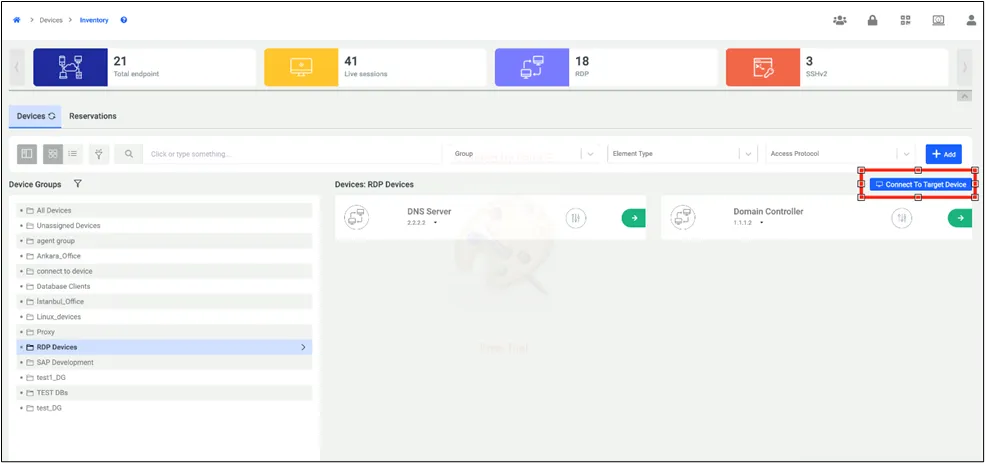
Connect to Target Device Option
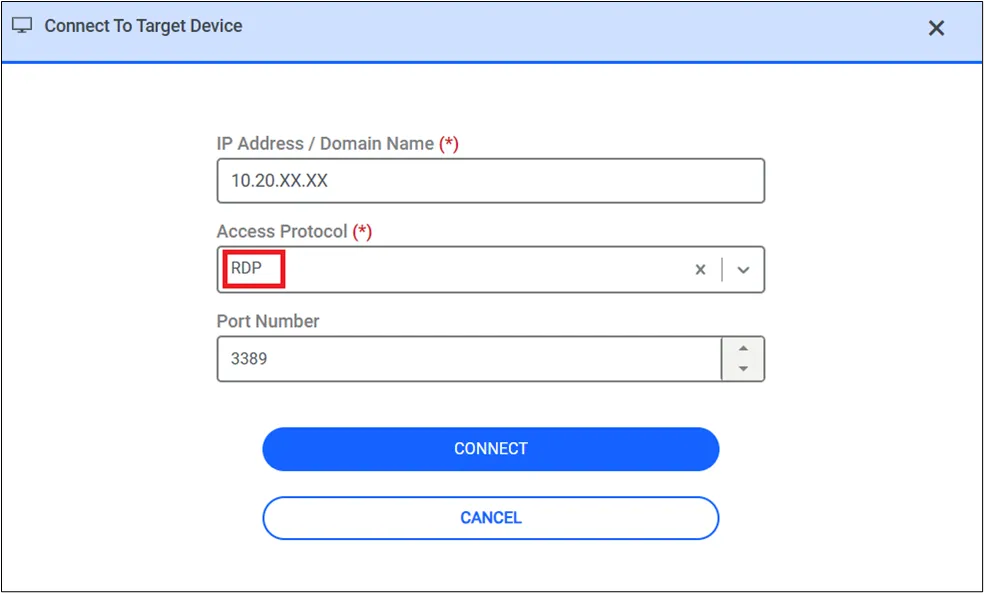
Connect to Target Device Screen