RDP - Viewing the Download Process for RDP File Transfers[
1 min
When you download a file from a remote device to your local machine during an RDP session, Kron PAM Desktop Client shows the download progress, including the file name, received MB and status of progress.
To manage a download in progress:
- Send a file to the shared folder (e.g., Drive on Kron PAM) of an active RDP session.
- Kron PAM Desktop Client Application shows the download progress in the File Download Manager.
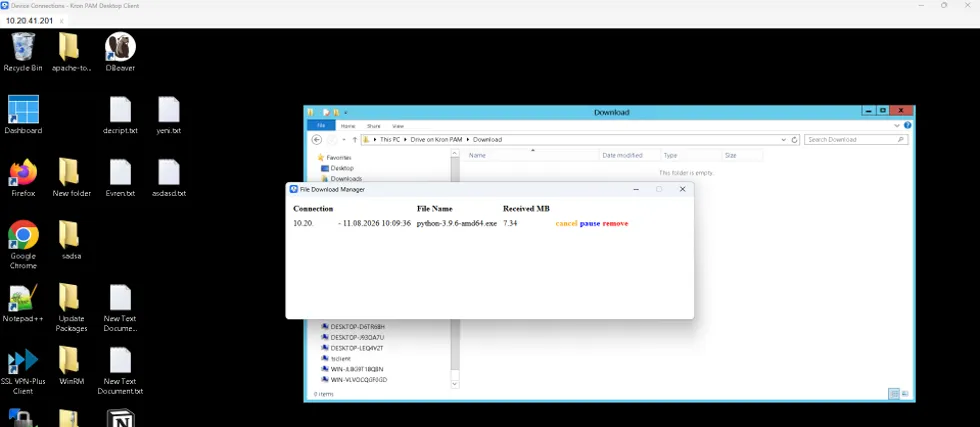
Download Progress in the RDP session
- Click Cancel to abort downloading or click Pause to stop downloading; if needed.
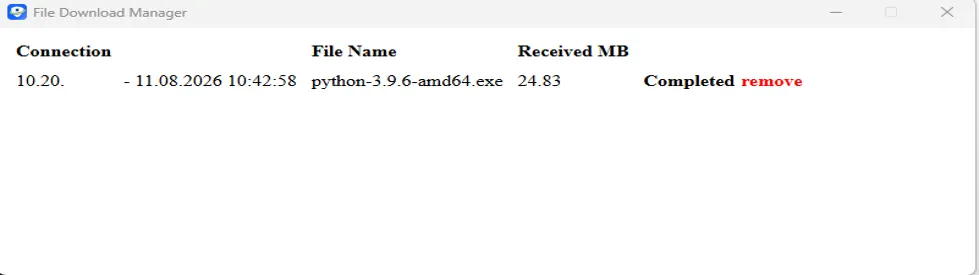
Download Progress is Completed