HTTP - Using Web Applications on Kron PAM Desktop Client Application
When you connect to a device through HTTP Proxy, Kron PAM Desktop Client Application cannot automatically detect a specific sub-page of the website, such as /alan-partners, on its own. To make sub-pages reachable, your Kron PAM administrator must define them under the device's Web Application URL device property on the Kron PAM Web GUI. If more than one Web Application URL is defined for a device, Kron PAM Desktop Client shows a selection screen when you connect, listing the available URLs. Select the URL you want to reach, and Kron PAM Desktop Client Application opens that page.
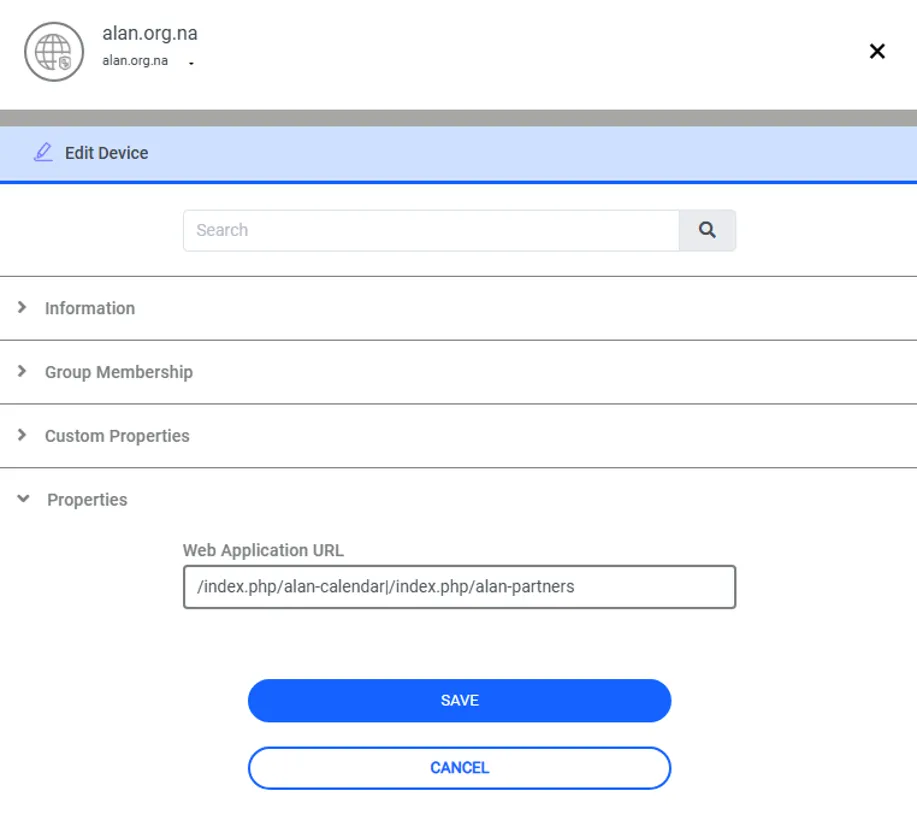
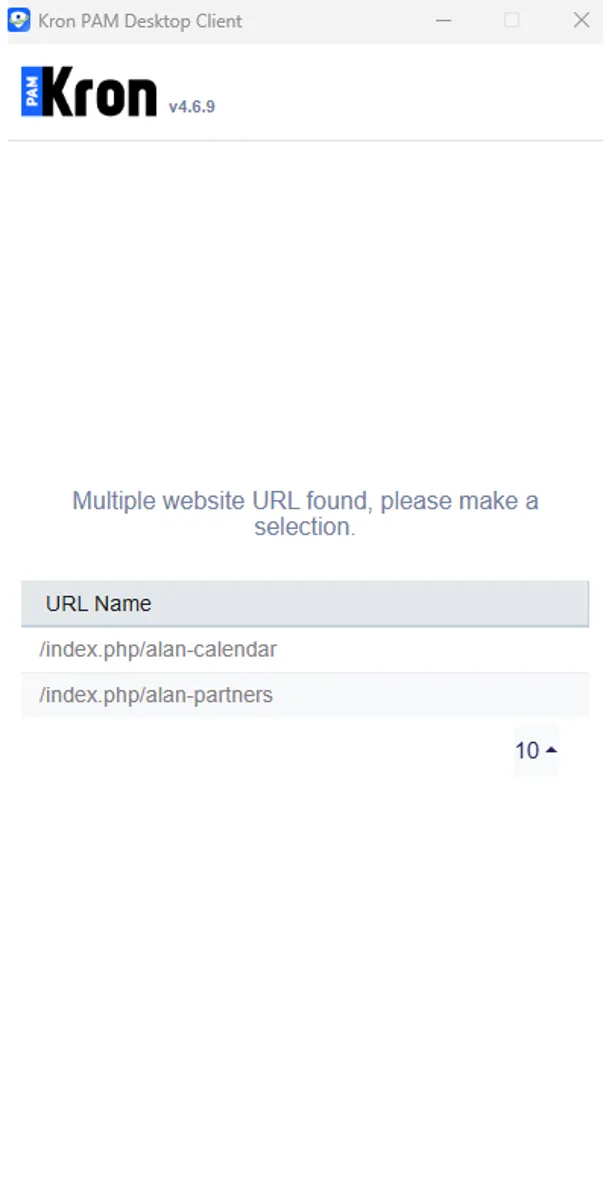
The "|" (pipe) character — produced via Shift+\ on US keyboards, or Alt Gr+< on Turkish/ISO keyboards — is used to separate multiple sub-URLs in the Web Application URL field.