Translating...
1 min
- Add the authentication server CA certificate to the Trusted Root Certification Authority using the MMC (MS Management Console) certificate plug-in.
- Create a network profile via the manual connection wizard:
- Select the Security Type as WPA2 Enterprise.
- Select the Encryption Type as AES.
- Select the Authentication Method as MS Protected EAP (PEAP).
- To adjust the PEAP Properties:
- Check the Verify the server’s identity by validating the certificate box.
- Select the authentication server CA certificate from the Trusted Root Certification Authority list.
- Select the Authentication Method as EAP-MSCHAP v2.
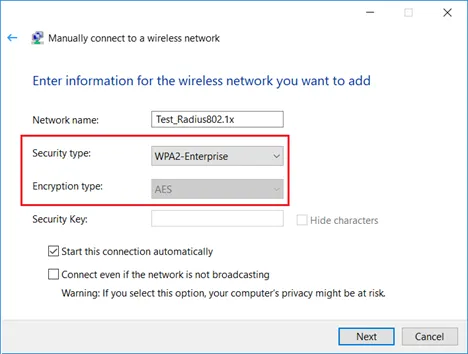
Manual Network Settings for Windows
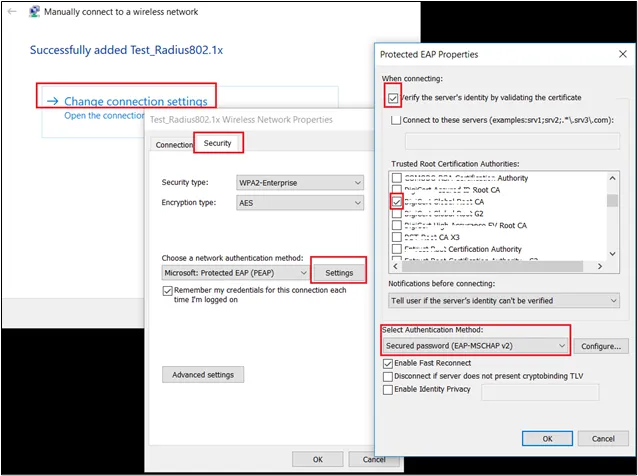
Manual Network Settings for Windows