Connecting to Zookeeper via Kron DAM SQL Proxy
1 min
Users can connect to the Zookeeper database through the Kron DAM SQL Proxy using an SQL client:
- Open an SQL client (e.g., DBeaver, DataGrip).
- Create a new connection and select the appropriate database type.
- Enter the following connection details:
- Host: The IP address of the Kron DAM server. Please look at below example of URL below that contains the host, port any etc.)
- jdbc:hive2://10.20.42.159:1022/newdb;serviceDiscoveryMode=zooKeeper;zooKeeperNamespace=hiveserver2;
- Port: The SQL proxy port assigned to the Zookeeper device in Kron DAM.
- Username: The username configured in Kron DAM (must match the database username).
- Password: The corresponding password.
- Database/Service Name: The name of the Zookeeper database as defined in Kron DAM.
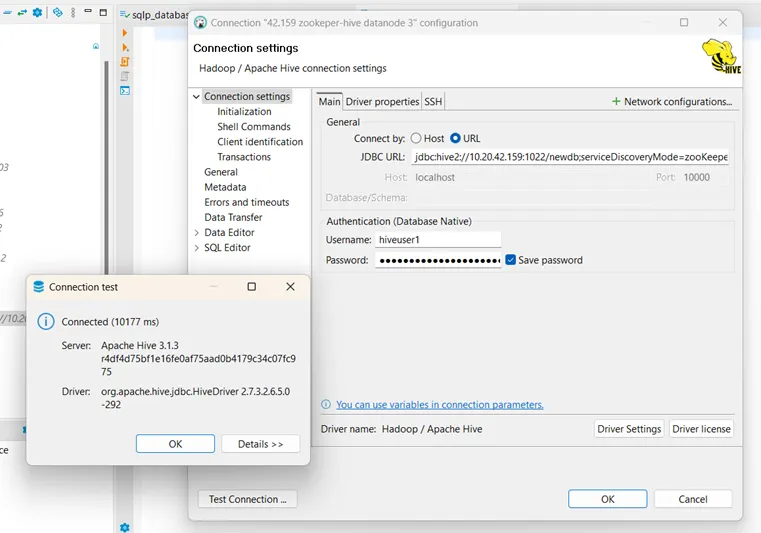
SQL Client Connection Configuration for Zookeeper
- Test the connection to ensure that it is successful.