Using and Editing Templates
- Navigate to Library Templates.
- Click on the template name that will be used.
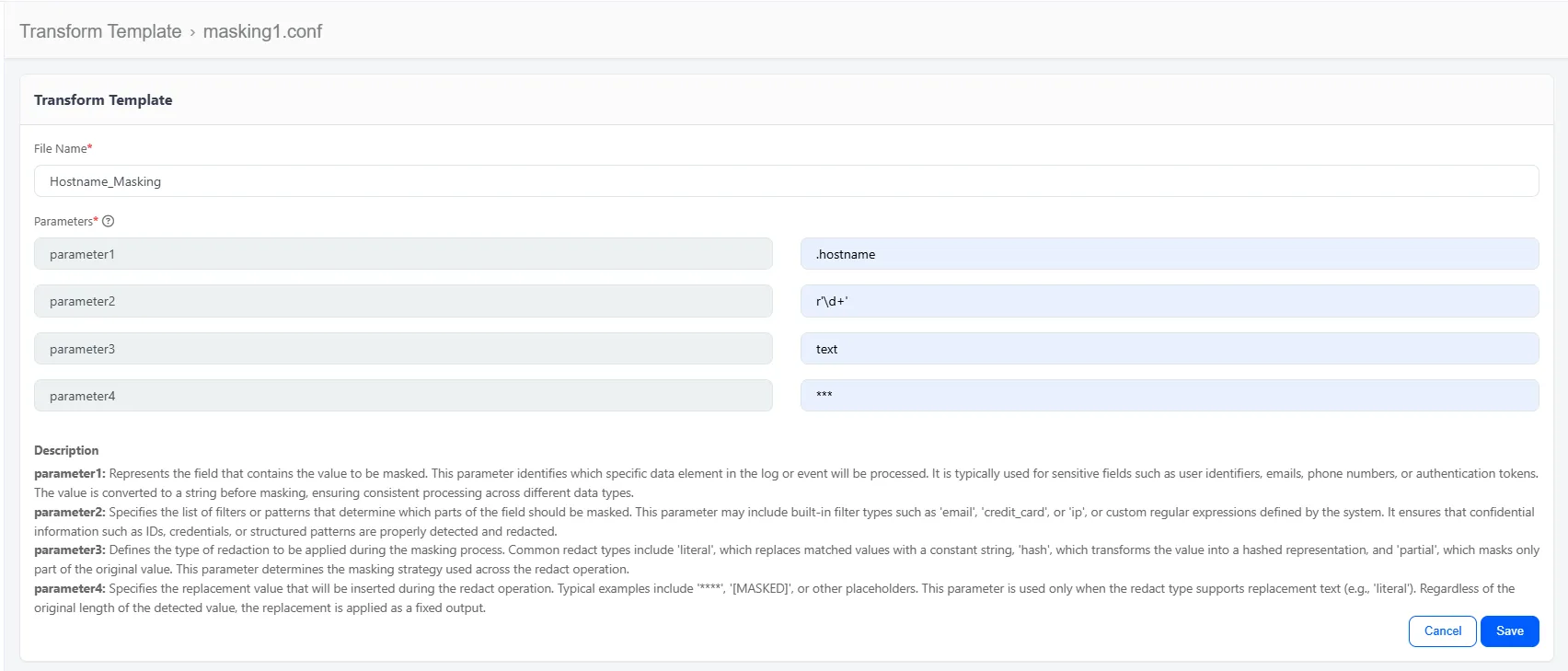
- Enter the values for each required parameter.
- Give the transform a name.
- Configured function should look like the one below
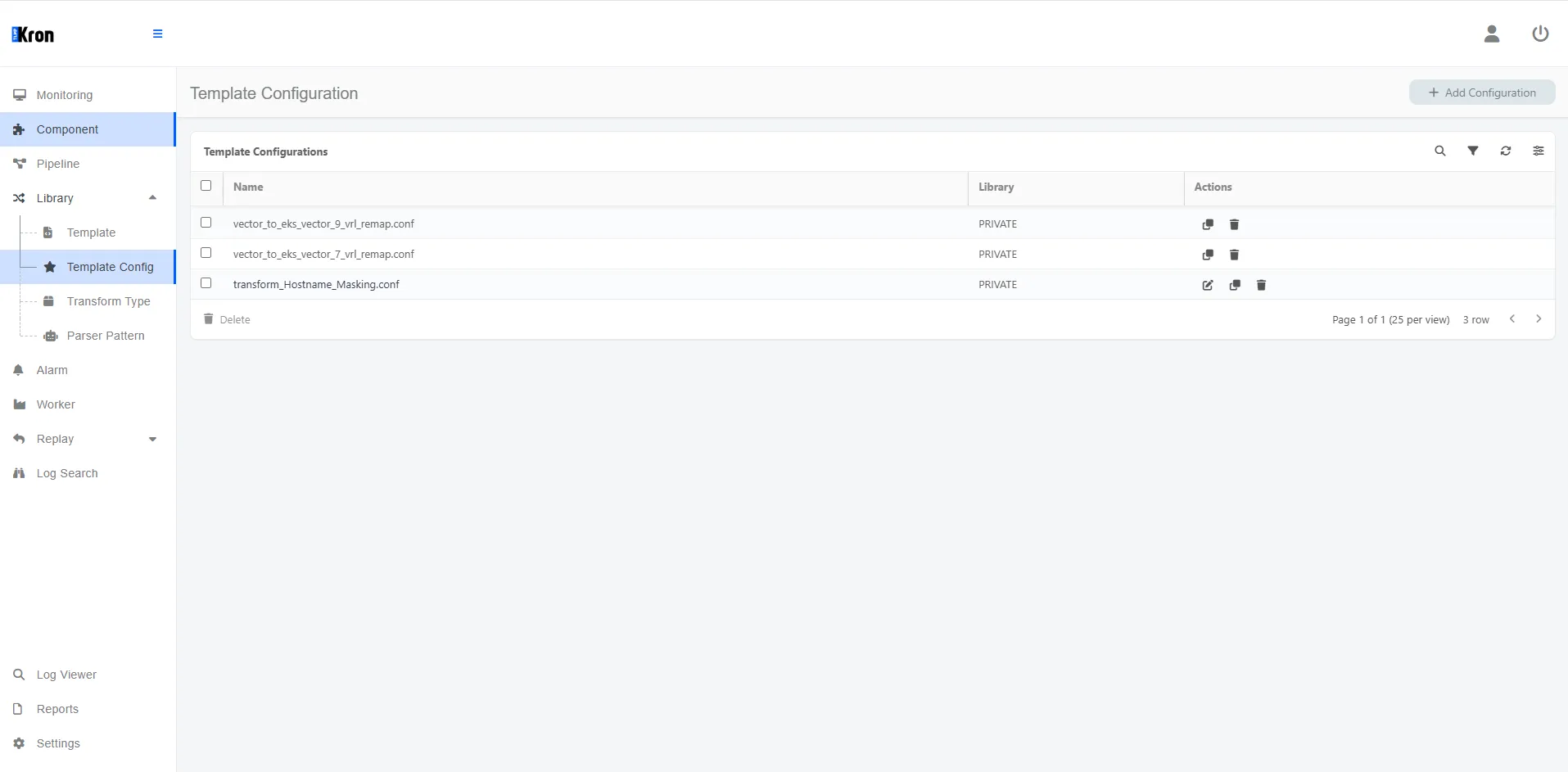
- Transform should be listed under the Library > Template Config Menu.
- The function can be edited from the actions next to the tranform on the Template Config Menu.
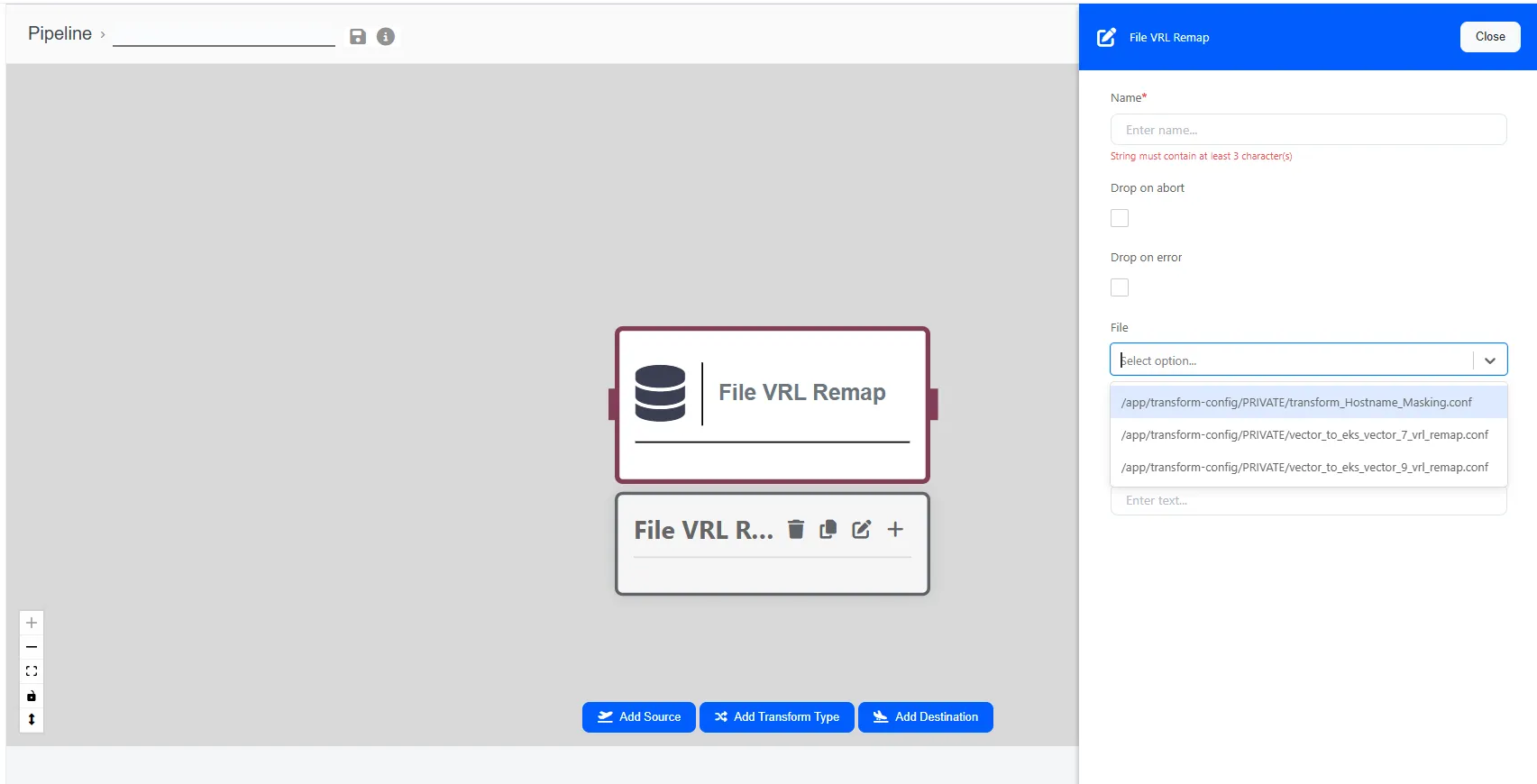
- Function will be listed under File VRL Remap's file selection.
- To delete, clone and edit parser and function templates use the actions next to them.