Email Server Configuration
2 min
Single Connect’s email notifications are sent from a preconfigured email server. To set up email configurations:
- Navigate to Administration > System Config Man.
- Open the Email Config tab.
- Set the following parameters using your mail server information.
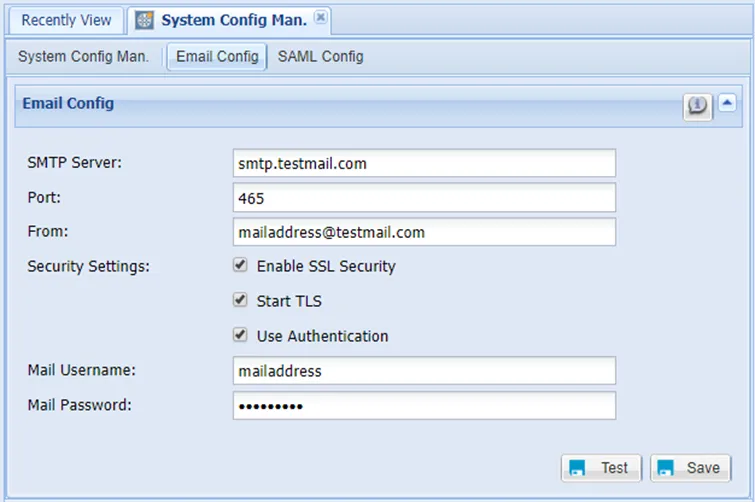
Email Configuration
All parameters must be changed according to the preferred email address used to send emails from Single Connect.
Single Connect e-mail templates are created by default and are stored in the mail folder. E-mail Subjects can be changed if desired. The template file will be set with the default subject according to the following definition and must be defined before the header.
<!-- scVariables mailSubject= DefaultSubject --> |
|---|