Enabling Push Notifications for Mobile Application
1 min
The email notifications for Command, Connection, and SAPM Retrieval retrieval requests can also be sent as push notifications to the Single Connect mobile application. The users will need to log in to Single Connect at least once via their mobile application to receive these notifications.
To enable push notifications for mobile application in the Administration GUI:
- Navigate to Administration > Jobs Scheduler.
- Open the Trigger List tab.
- Select SendPushMessageJob as the Job.
- Fill in the fields, Trigger Name and Cron Expression.
- On the Active field select Enabled to enable the job and click Save.
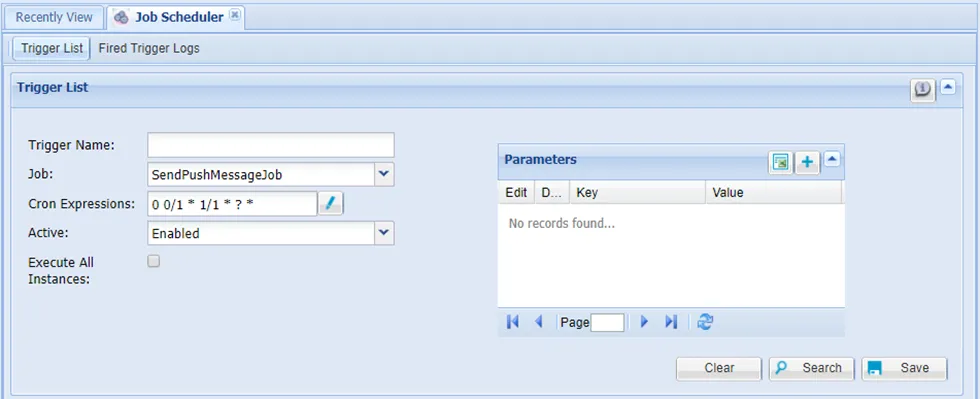
SendPushMessageJob” parameters
- Navigate to Administration > System Config Man.
- Set the mobile.tomcat.url parameter as http://<singleconnecthostname>.local:9080/mobile-api/rest
- Set the max.push.count.to.send.in.one.time parameter as 100 and click Save.
After these settings are in place, the users will start getting mobile notifications for the cases stated above. For the configurations of each case, please refer to the related sections.