Report Details
1 min
Once the job is complete, the reports are listed under the Reports tab. To view the reports:
- Navigate to Vulnerability Reports
- Open the “Reports” tab.
- Click the Options drop-down menu button and select Show Details.
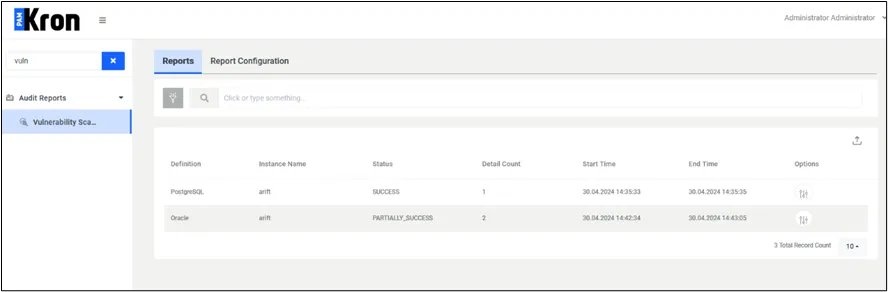
Vulnerability Scanner Report
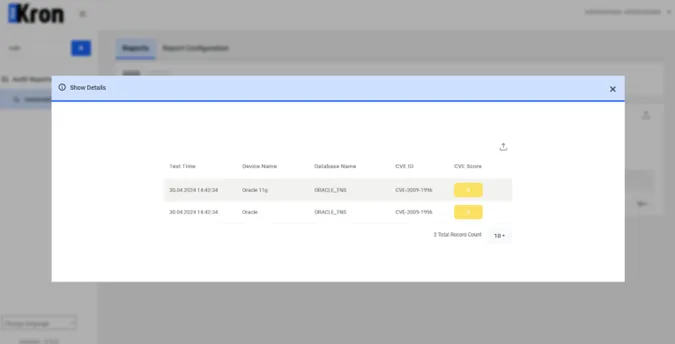
Vulnerability Scanner Report Details
This report helps database administrators monitor CVEs and suggests updates to mitigate identified vulnerabilities, enhancing the security of the database systems.
By maintaining updated vulnerability management, organizations can minimize security breaches and ensure the integrity of their data.