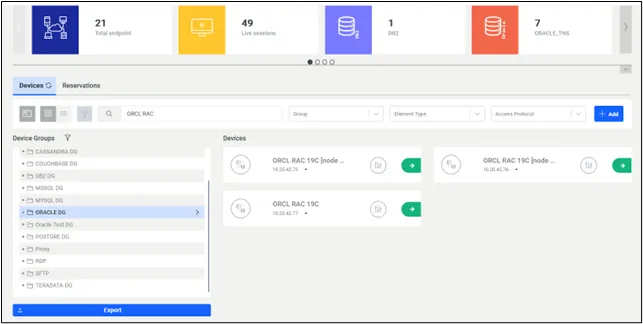
Oracle RAC Configuration
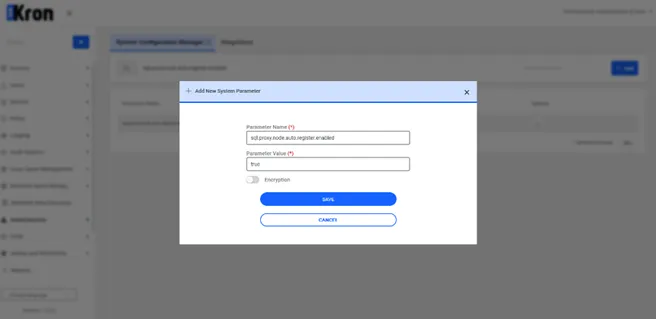
Enabling Auto Registration: To enable automatic registration of RAC device definitions by SQLProxy, you need to set the following parameter in the system configuration manager:
Parameter Name | Parameter Value |
|---|---|
sql.proxy.node.auto.register.enabled | true |
Adding Oracle RAC Database to Kron AM: Follow the standard procedure to add the Oracle RAC database to Kron PAM.
- Navigate to Device Add.
- Assign the device to a Device Group.
- Add a user under User Add.
- Assign the user to a User group.
- Define a Policy Key.
- Set up a Mask Policy.
- Group the policies under Policy Group.
- Finally, assign the device to a Realm.
Configuring Database Properties: Once the Oracle RAC database is added to Kron DAM, its properties must be specified. The standard procedure should be followed to add the required properties.
Connecting to RAC Database via SQL Client in Kron DAM: Follow the Connecting with the Kron DAM SQL Proxy. When an SQL client initiates a connection to a RAC database through the Kron DAM SQL Proxy, Kron DAM will automatically detect all the databases within that cluster.