Defining an Alarm Policy
3 min
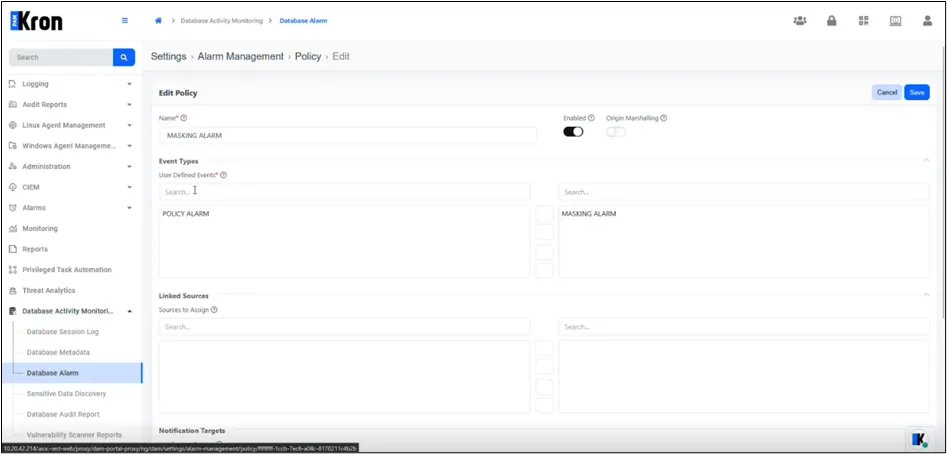
In the Policy tab, select and edit an existing policy.
Populate the header fields:
Fields | Description |
|---|---|
Name | Logical identifier displayed in reports. |
Enabled | Activates the policy immediately. |
Linked Sources | Choose DAM_ALARM or other data sources that may trigger the policy. |
Move one or more targets into the Notification Targets pane.
Each alarm policy includes one or more rules that define the triggering conditions. When an event matches all rule criteria, an alarm is raised at the designated severity.
- Alarm Level Specifies the severity of the alarm when triggered. Supported levels: INFO, MINOR, MAJOR, CRITICAL.
- Repeats Before Trigger Defines how many identical events must occur before the alarm is issued. Useful for suppressing transient issues.
- Max Repeat Count Limits the number of times an alarm can be raised for the same condition. After this threshold, no additional alerts are generated.
- Watched Metric / Operator / Value This triplet defines the core condition. For example: masked: BOOLEAN IS true A match here is what activates the rule logic.
- Combinator to Next When multiple conditions are defined, this field specifies how they are evaluated together, using logical AND or OR.
Watched Metric : masked : BOOLEAN
Operator       : IS
Value          : true
Alarm Level    : CRITICAL
Repeats Before : 1
Max Repeat     : 10
When a query returns masked data, the rule above triggers a CRITICAL alarm, increments Repeat Count, and stops issuing new notifications after ten occurrences.
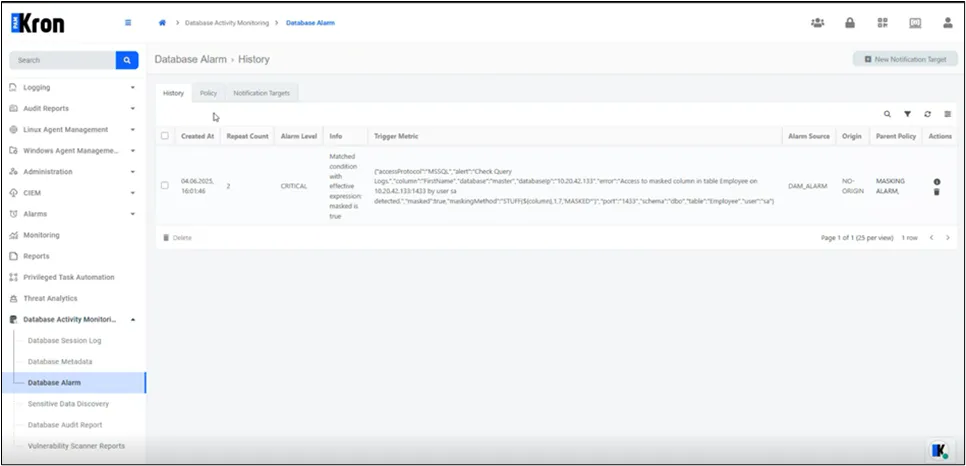
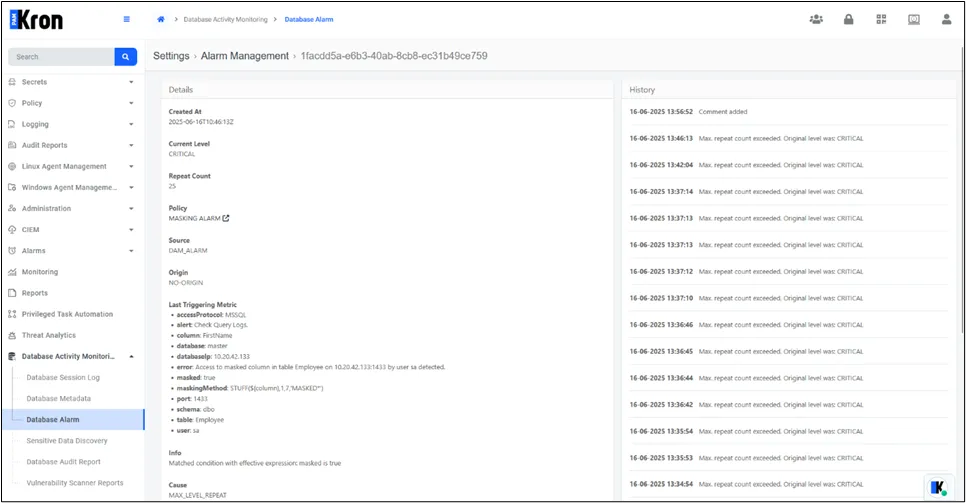
Alarm Detail in History Tab