Configuring SSMS for Read-Only Connections
1 min
When connecting to SQL Server via Kron DAM, SSMS users must include the ApplicationIntent=ReadOnly parameter to enforce the read-only mode.
- Open SQL Server Management Studio (SSMS).
- Open the Connect to Server Dialog.
- Enter the Kron DAM Server Host and Cloned Port in the Server name field.
- Select the preferred authentication mode (e.g., Windows Authentication or SQL Server Authentication) from the Authentication dropdown menu.
- Provide the Username that is configured in Kron DAM (must match exactly, including domain or any prefix if applicable).
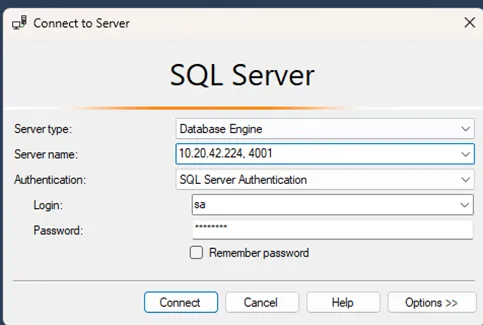
When a user is a member of a forced read-only group, Kron DAM automatically enforces the read-only connection on the cloned port. You do not need to add any additional parameter (e.g., ApplicationIntent=ReadOnly). For read-write access, connect to the original Kron DAM SQL Proxy port and ensure you belong to a group that is not forced to read-only.