Using HTTP Proxy in SSL/TLS Mode
1 min
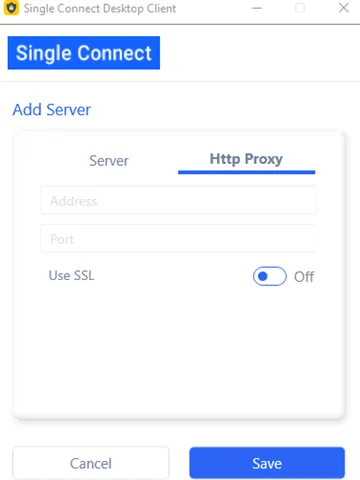
If SSL is enabled on HTTP Proxy, you must configure the Desktop Client with correct SSL parameters on the HTTP Proxy tab.
- Open the Single Connect Desktop Client and click Connections on the Login screen.
- Select the server from the list and click Edit.
- Open the HTTP Proxy tab and apply the correct SSL parameters. Change the port number if the proxy port is different from the default port (7080).