Connecting to RDP/VNC Proxy via Single Connect Windows Client
3 min
- Open the Single Connect Windows Client.
- If this is the first time you download the Single Connect Windows Client, you will be directed to the Connections interface. Otherwise, click the Connections button on the Login screen and click Add.
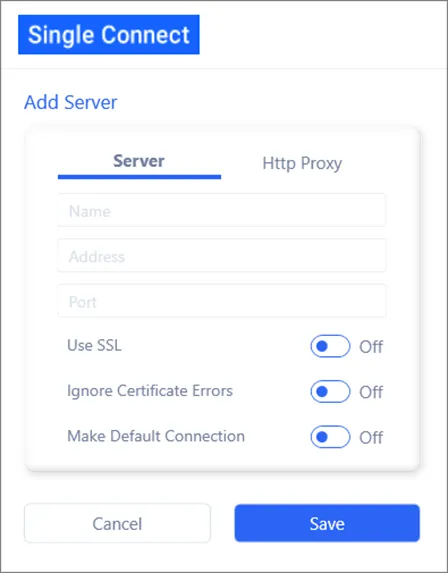
- From the Add Server window, enter your server information and then click Save.
- Click Return to go back to the login interface.
- Enter the username and password. Click Login.
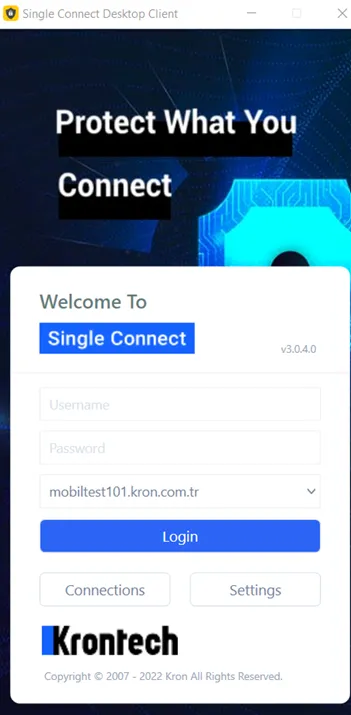
- Once you log in, the device groups are listed. Double-click on the desired device and a pop-up with a session to your selected device will open.
- The RDP for Windows or VNC for Linux/Unix server’s session is established using the pop-up window of the session to the selected device.