Automated Worker Configuration
Kron TP leverages the power of GitOps to ensure a consistent and reliable infrastructure environment for your applications. Worker nodes automatically pull their configuration from a Git repositorya that is synced with a CMS , so you can easily review and approve any changes before they are applied.
By this methodology, following benefits are achieved:
- This methodology ensures that consistent and reproducible infrastructure environment across all your worker nodes, as they pull their configuration from the same Git repository.
- Faster and safer deployment process, as you can review and approve the changes before they are applied to the environment.
- Better visibility and traceability of the infrastructure changes, as you can use Git as an audit log or audit trail.
- Different deployment options based on security requirements.
Adding a Worker
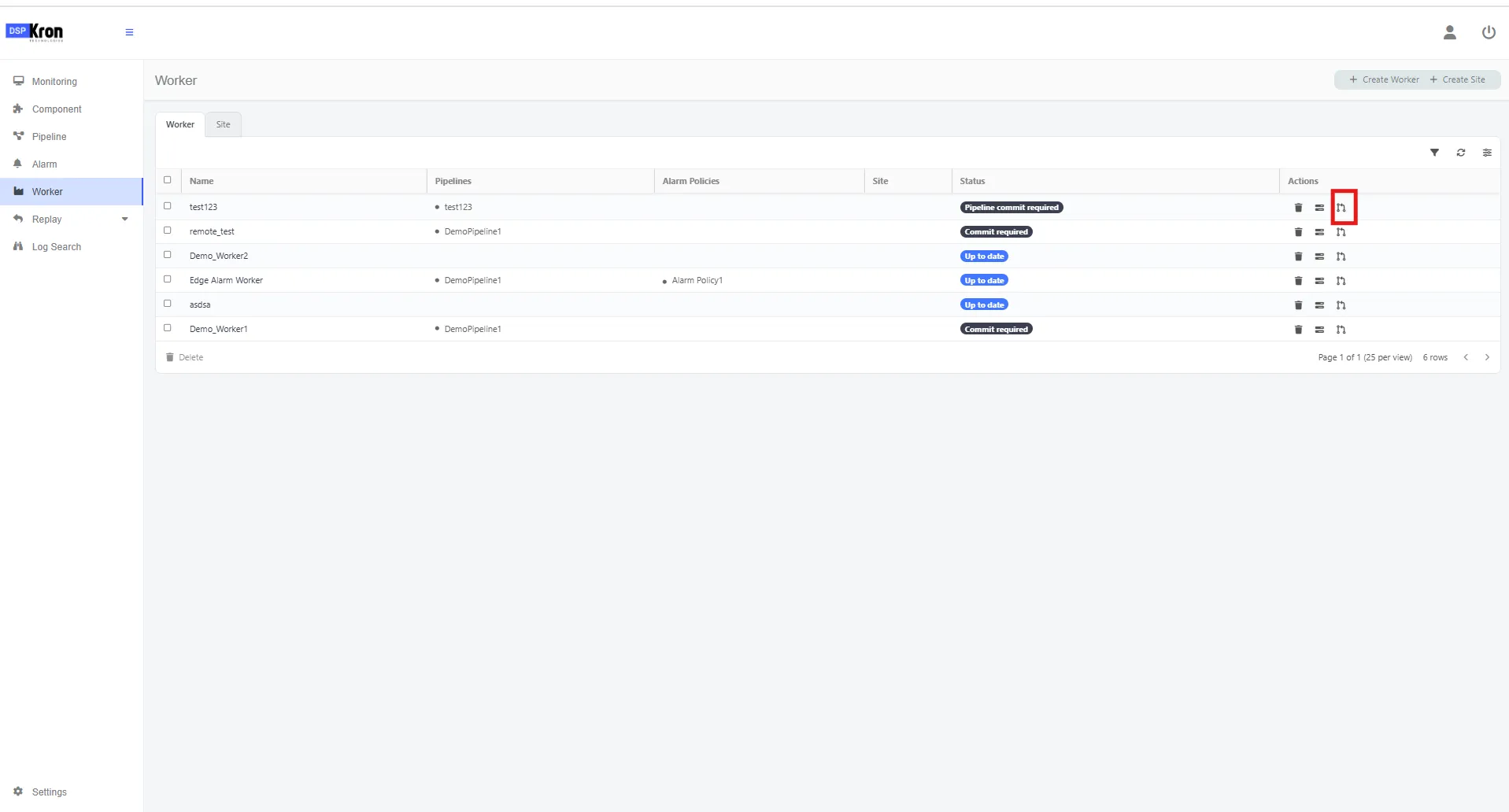
- Navigate to worker menu.
- Click on add worker.
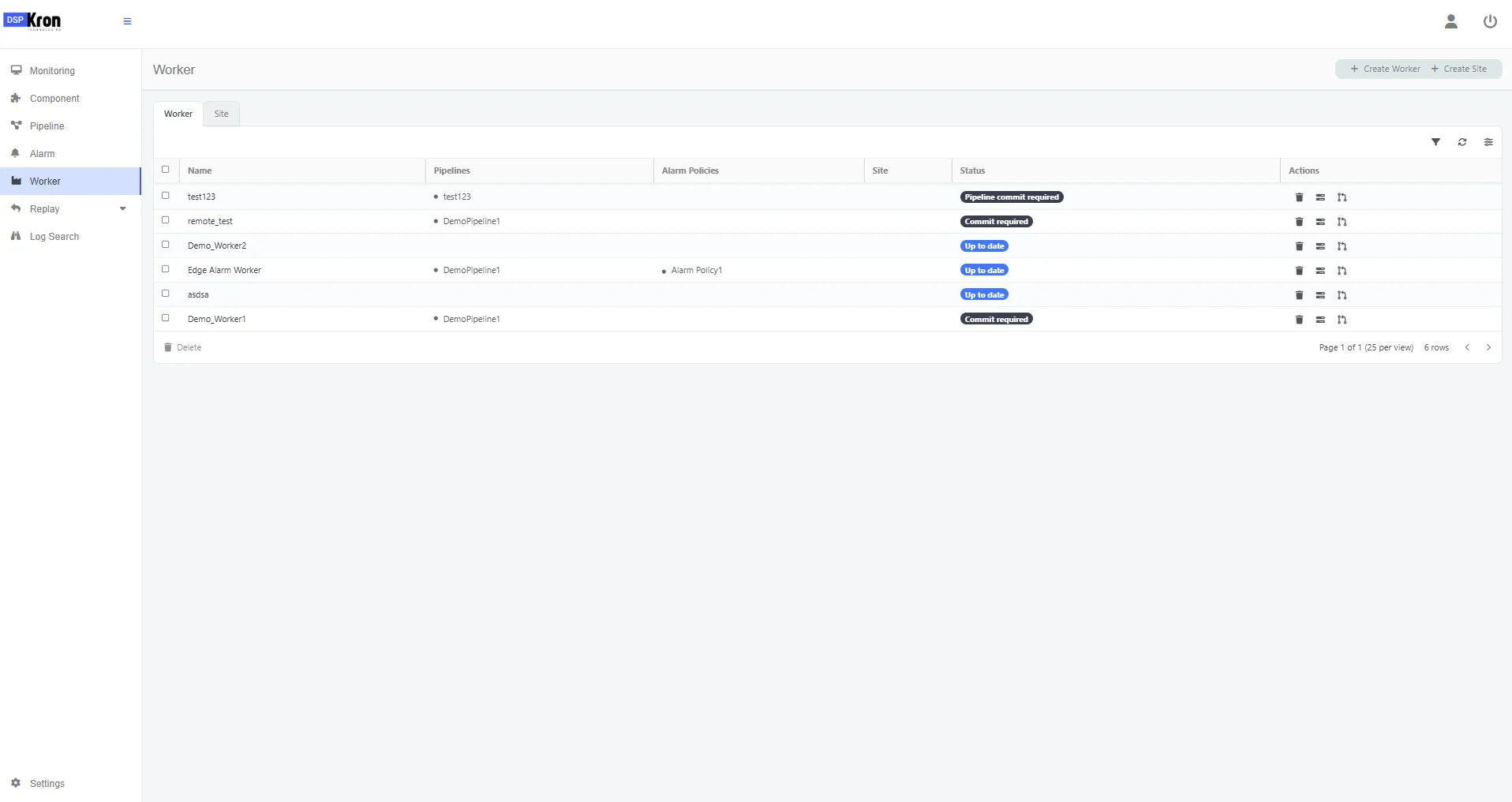
Configuring a worker
Parameter | Purpose |
|---|---|
Name* | Unique identifier for the worker. Used to reference and manage the pipeline worker within your system or UI. |
Git URL | ❗ ❗ ❗ This should be left emty so that our service can create a git url that will be used in worker configuration. |
Site | Represents the deployment region or environment (e.g., us-west-2, on-prem, dev). Helps in segmenting workers per location in monitoring. This can be selected after creating a site. Or can be added later by editing the worker. Adding sites can be done through the add site button. |
Replicas* | Defines how many pod instances of the worker will be deployed on EKS. Ensures scalability and availability. |
📦 Container Configuration
Parameter | Purpose |
|---|---|
Repository* | Container image repository where the telemetry worker image is hosted (e.g., TP/kron). |
Tag* | Image version to deploy (e.g., 2.0). Allows control over releases. |
Pull Secret* | Kubernetes secret name used for accessing private container registries. Ensures secure image pulls (my-registry-secret). |
🗃️ Data Persistence
Parameter | Purpose |
|---|---|
Data Persistence | Enables or disables local storage or volume mounts for the worker, e.g., for buffering data or storing state. (Details not shown but assumed toggle or config group.) |
☁️ Amazon Load Balancer (If Enabled)
Parameter | Purpose |
|---|---|
Enabled | Toggles integration with AWS load balancing. When enabled, the worker is exposed externally via an AWS Load Balancer. |
Load Balancer Type | Type of AWS Load Balancer. In this case, external – used for internet-facing services. |
NLB Target Type | Target for Network Load Balancer: ip means targets are registered by IP rather than instance ID. |
Scheme | Specifies whether the load balancer is internet-facing (accessible publicly) or internal (within a VPC). |
Load Balancing Enabled | When enabled, it routes traffic across multiple replicas of the worker for reliability and scaling. |
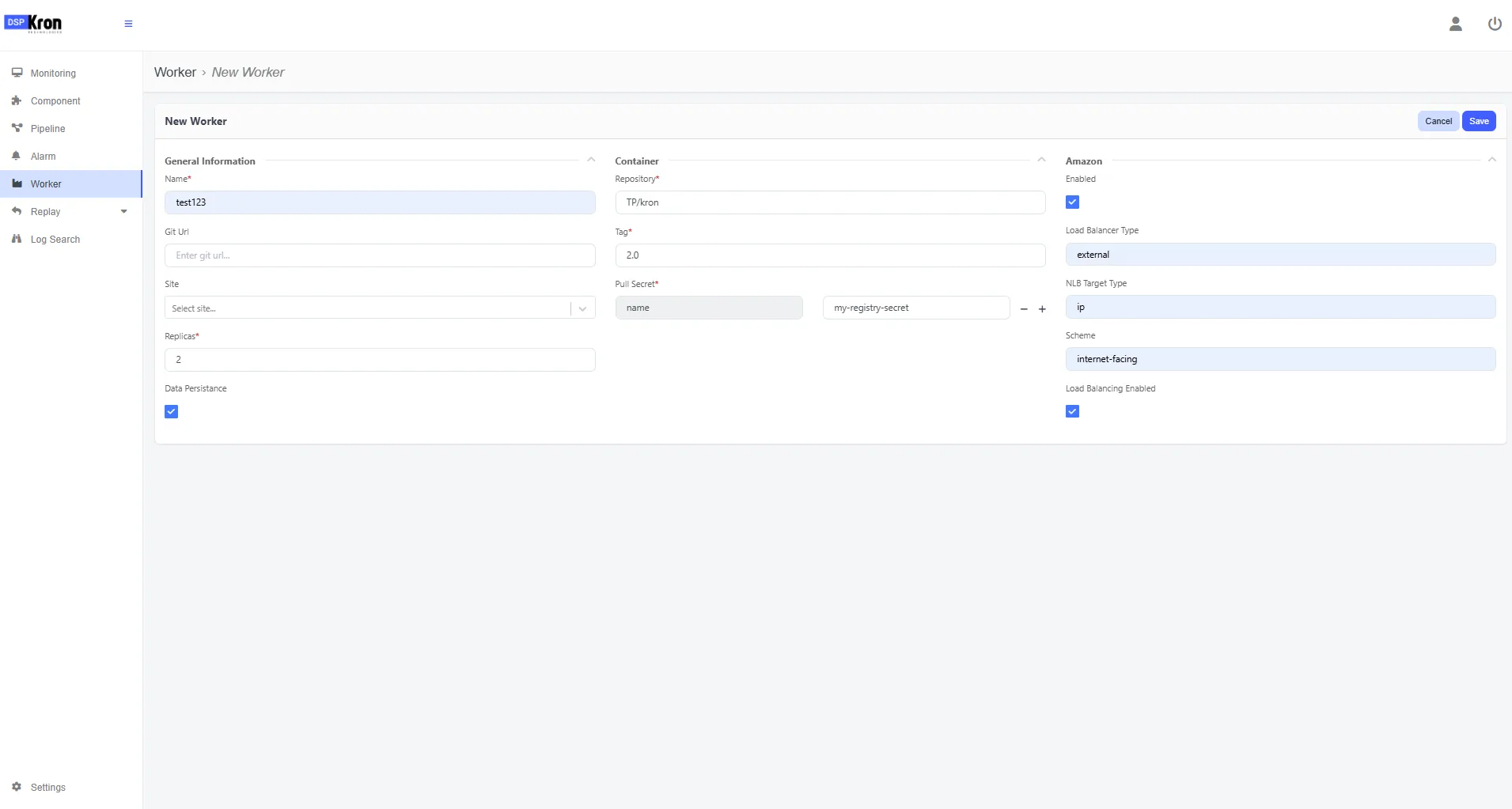
After saving pipeline selection screen should be unlocked. Select the pipeline configrations that will be running on this worker and commit the pipelines.
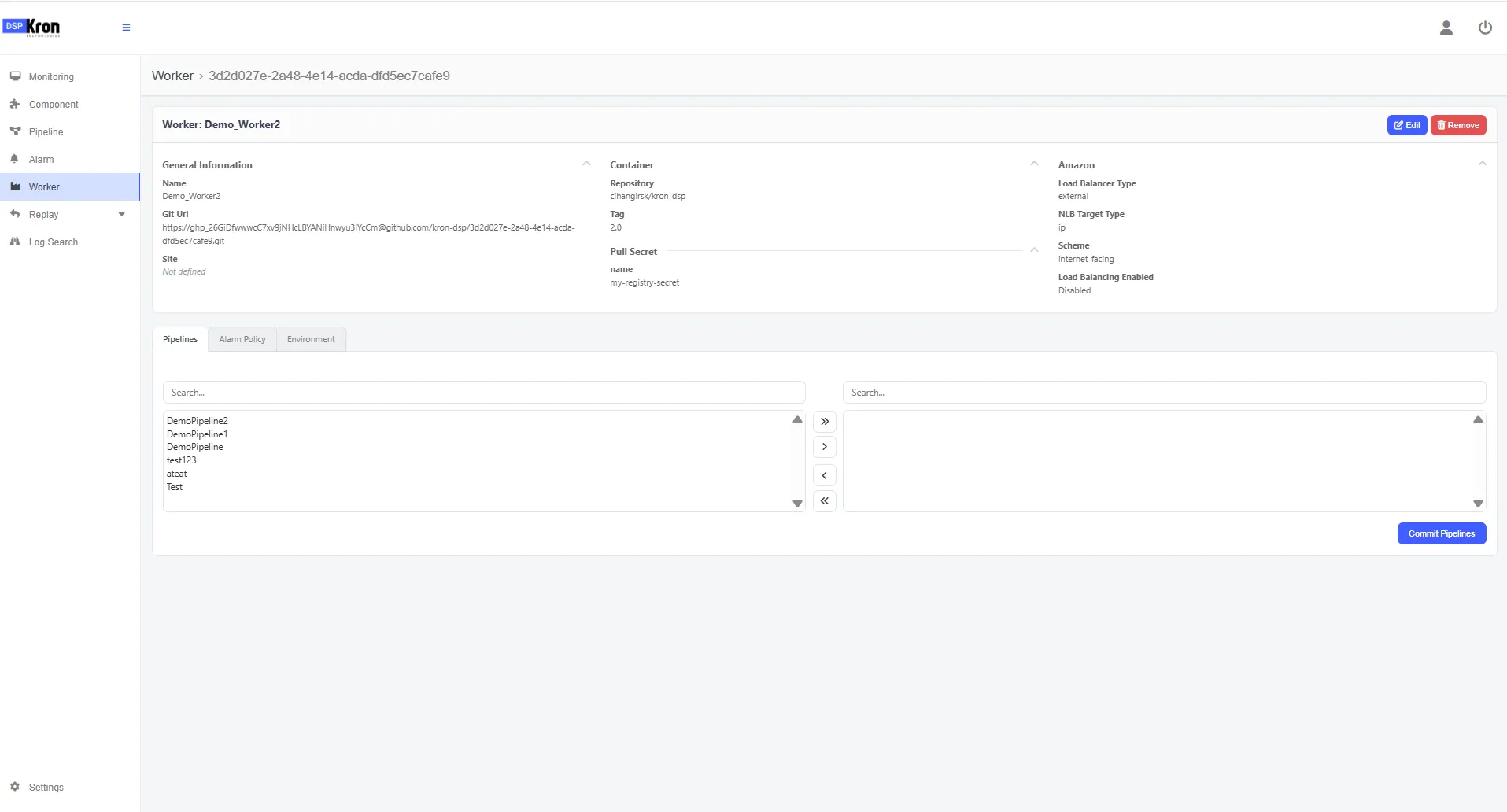
Click to the push button so to push the pipeline configrations.