Switch User Script Feature
A Command Line field named “Switch User Script” can be found the Device Group --> Miscellaneous tab. If a user wants to switch accounts and have the system automatically enter their password on a device connected via Kron PAM SSH Proxy, use the “kronsudo” command in the command line. When this command runs, the script written in the Device Group --> Miscellaneous --> Switch User Script command line will be executed.
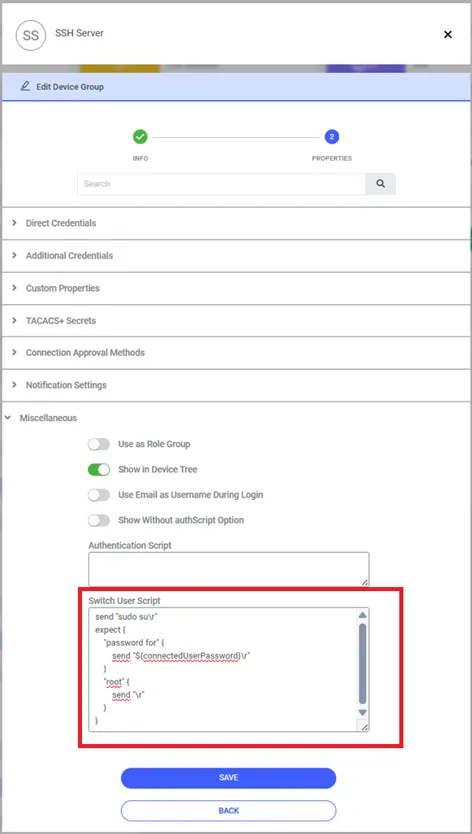
For example, if the commands to switch to the “root” user are written in this field as shown below, Kron PAM will switch to the root user without waiting for any information from the user. If the root user's password is saved on Kron PAM Vault and is a password changed from the Vault screen, the value ${sapm:Username_of_Vault} should be written in the “password” section in this case. With this entry, Kron PAM automatically retrieves the root user's password from the Vault and switches to the root user.
send "sudo su\r"
expect {
    "password for" {
        send "${connectedUserPassword}\r"
    }
    "root" {
        send "\r"
    }
}