Reason Field in SSH Connections
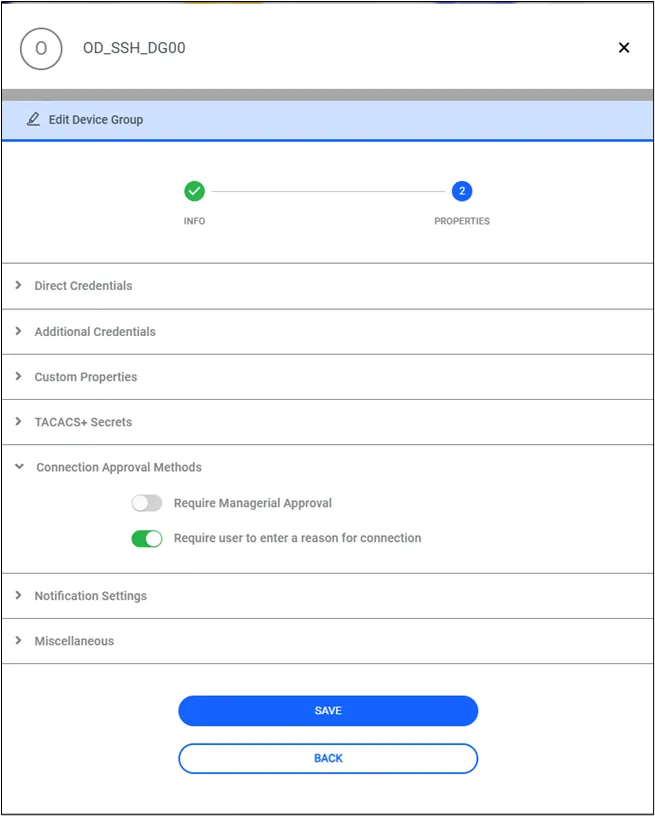
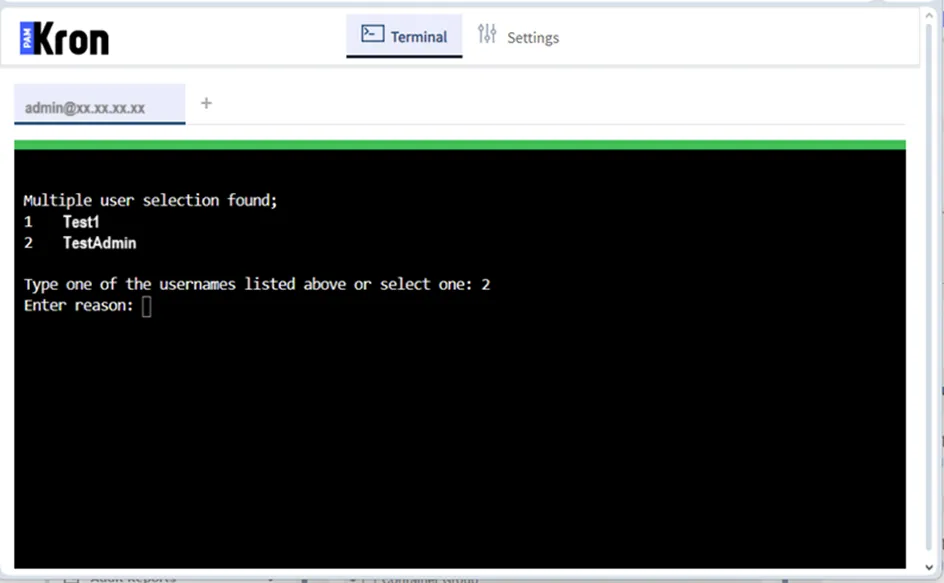
The reason field can be enabled to be filled in by the users when connecting to devices. The text entered as the reason for connection appears in the Session Logs and the managerial approval request emails/notifications. To enable this feature,reasonRequiredForConnection property must be true on a device group that includes the target devices.
- Log in to the Kron PAM Web GUI.
- Navigate to Devices > Devices.
- Click the desired Device Group, and open its properties.
- Click Edit then Next buttons.
- Expand the Connection Approval Methods section.
- Activate the Require user to enter a reason for connection property.
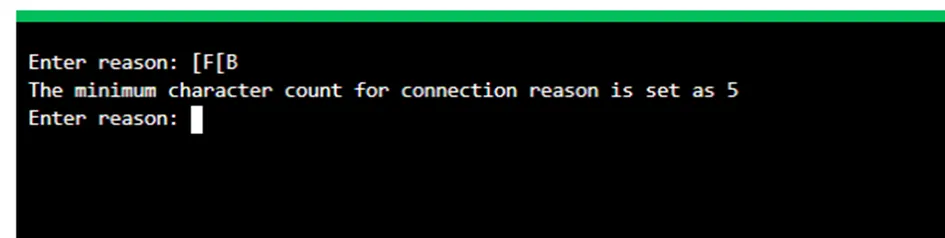
To set a minimum character limit for the reason required for connection, the following steps must be followed to set the limit.
- Log in to the Kron PAM Web GUI
- Navigate to System Configuration Manager > Add > Add New System Parameter.
- Add the parameter ssh.min.reason.character.limit as a value of 5 or greater.
- Navigate to Devices > Inventory.
- Choose the desired Device Group, select Edit Connection Approval Methods
- Set the Require user to enter a reason for connection property as true.
In accordance with local regulations, it is mandatory to justify why a connection is being established during each connection. This requirement ensures traceability, accountability, and compliance with security and auditing standards, minimizing unauthorized or unclear access to sensitive systems.