Running Scripts at The Beginning of an SSH Session
In some use cases, running automated commands at the beginning of the SSH session may be necessary.
To give an example of one of these scenarios, the end user may be requested to use an account with restricted access to start an SSH session. In this case, a privilege escalation script can be written using the auth-script feature.
Thanks to this, even if that particular account isn't allowed to reach the device with SSH protocol, the user will be able to connect to the device with another account's credentials in the background (via global username or a Vault credential). As a result, the user will be able to use the restricted account's privileged commands on that device through the SSH protocol.
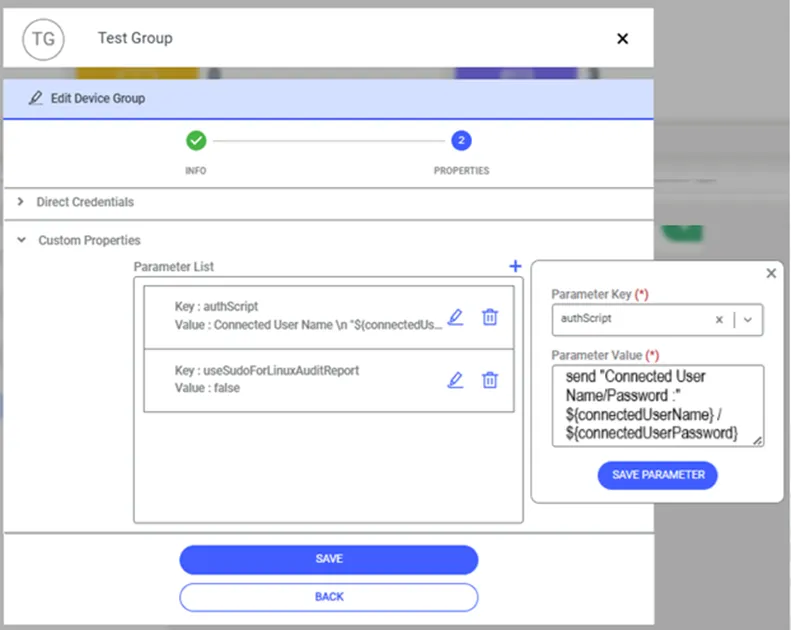
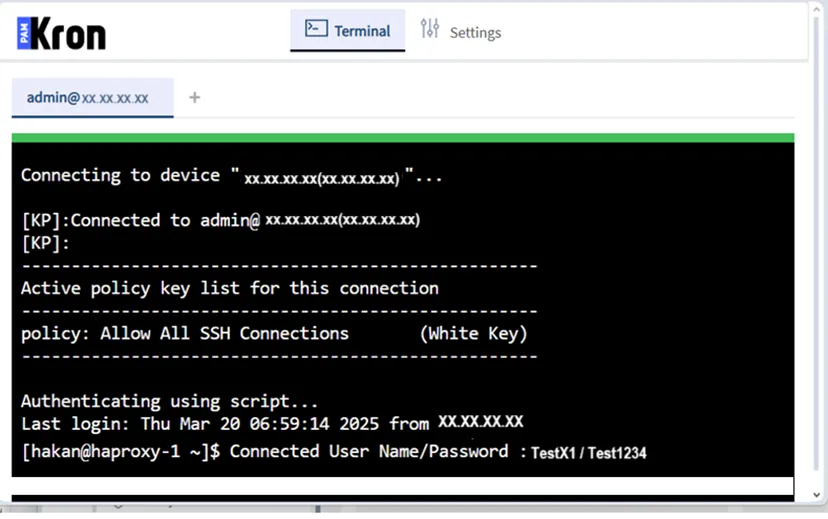
To use this feature, an authScript property key should be configured at the Device Group level, and the defined script runs on the target SSH device at the beginning of the user's SSH session:
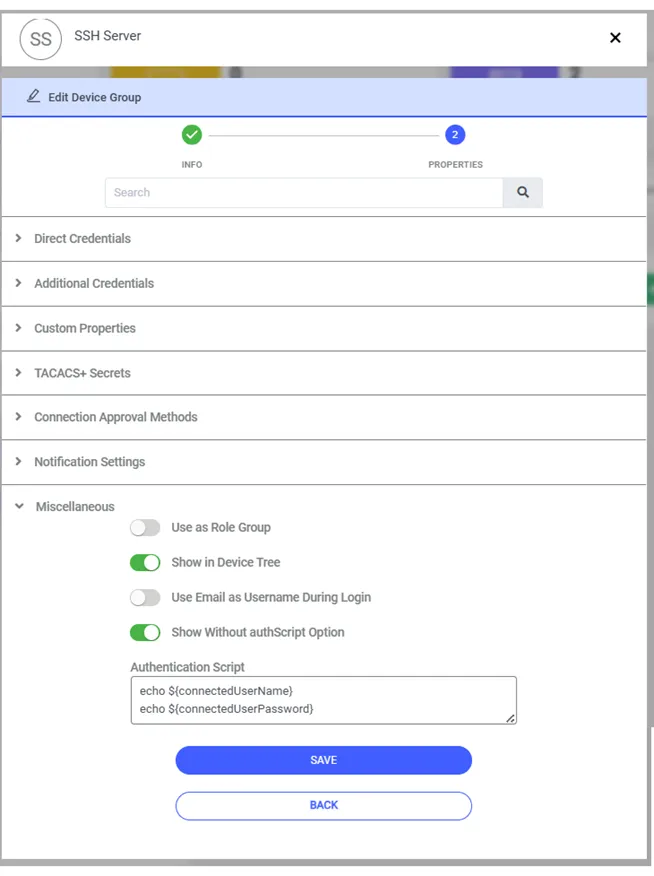
In authScript, the two folowing parameters can be utilized so that the username and password of the user connected to the device can be used:
- connectedUserName
- connectedUserPassword
For this authScript that is executed when connected to the device, if the switch called Show Without authScript Option on the Device Group Options - Miscellaneous panel is turned ON, when the user is connected to the device with SSHv2 protocol, there will be a choice to connect without running the authScript. Even if this switch is ON for more than one Device Group, only one extra choice will be shown on the screen for selection when the connection is made.
Accounts on the Vault can also be used in the script by following this format:
- ${sapm:<Username of Vault Account>}
This allows all devices in the device group to use their own Vault account password.
Device Group level property keys apply to all devices in it.