Redis Strategy Type
Users defined on the Redis server can have their passwords changed according to the specified intervals via the Vault menu. This can be done by following the steps listed below.
1. Navigate to Secrets > Vault Configuration.
2. Click the Add button and proceed to Add New Configuration.
3. Fill the Name field and select Redis as strategy.
4. Click Next.
5. Click to Connection panel and filed the Target URL Template as “redis://${deviceIp}:6379” then click save button.
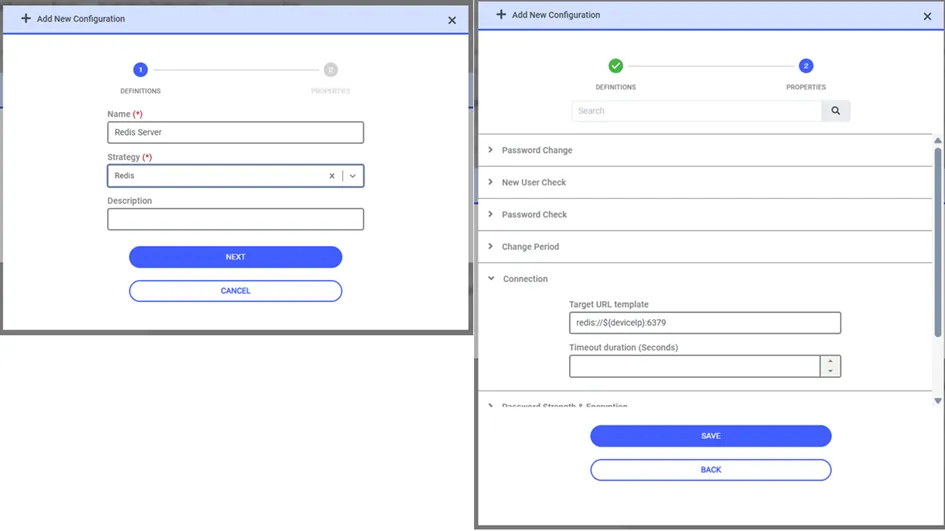
If the Redis server has not been configured to use a different port, as shown in the configuration required for password changes via Vault, it uses port 6379 by default. If a different port has been configured, the port value specified in the Connection tab must be changed.