MongoDB Strategy Type
The MongoDB strategy allows you to manage the passwords of users defined in MongoDB directly from the Vault screen. To perform these operations follow these steps:
1. Navigate to Secrets > Vault Configuration.
2. Click the Add button and proceed to Add New Configuration.
3. Fill the Name field and select Mongodb as strategy.
4. Click Next.
5. Click to Connection panel and filed the Target URL Template as “mongodb://${deviceIp}:27017/admin?authSource=admin” then click save button.
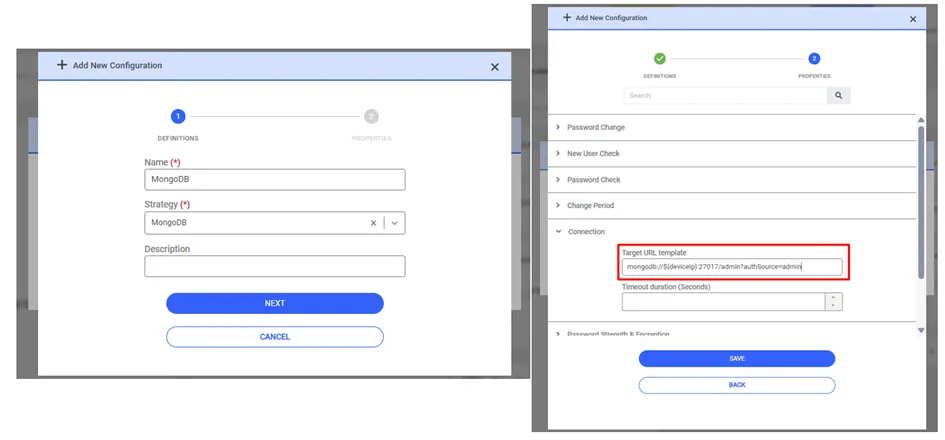
When the Vault configuration for MongoDB has been defined, a new Vault entry can be created to specify the user account whose password will be changed in MongoDB. From the Vault interface, you can now use the “Reset Password” or “Checkout Password” options; when the password changes at the end of the period, it will be updated in both Vault and MongoDB, ensuring synchronization.
If you want to change the passwords of users defined in a different database within MongoDB, you can complete the process by entering the name of the database to be modified in the “authSource” parameter in the Vault Configuration.