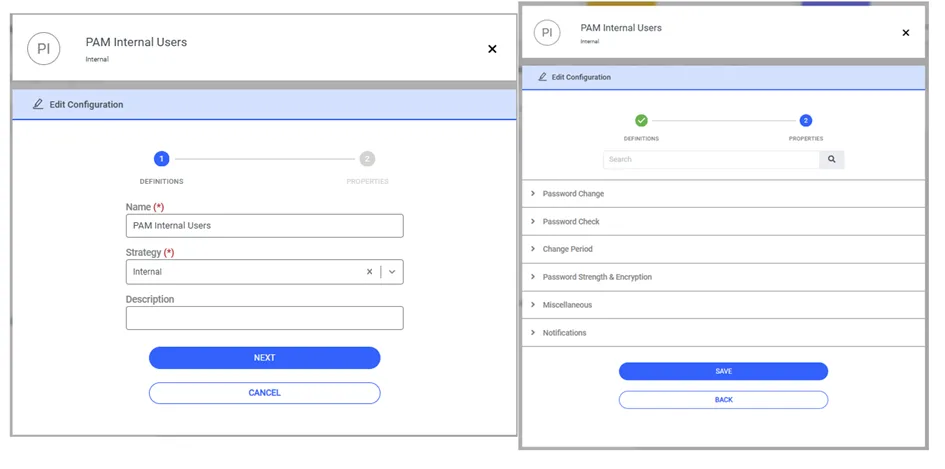
PAM Internal Strategy Type
The accounts managed within a password vault can belong to target devices, but they can also be PAM Internal accounts. PAM Internal users are typically utilized in scenarios where a user establishing a session needs two distinct accounts: one for executing PAM administrative tasks, and another for accessing target devices through the PAM solution. To manage PAM Internal users:
1. Navigate to Secrets > Vault Configuration.
2. Click the Add button and proceed to Add New Configuration.
3. Fill the Name field and select Internal as strategy.
4. Click Next.
5. Activate the extra parameters to be used for the accounts, then click save.