Configurations
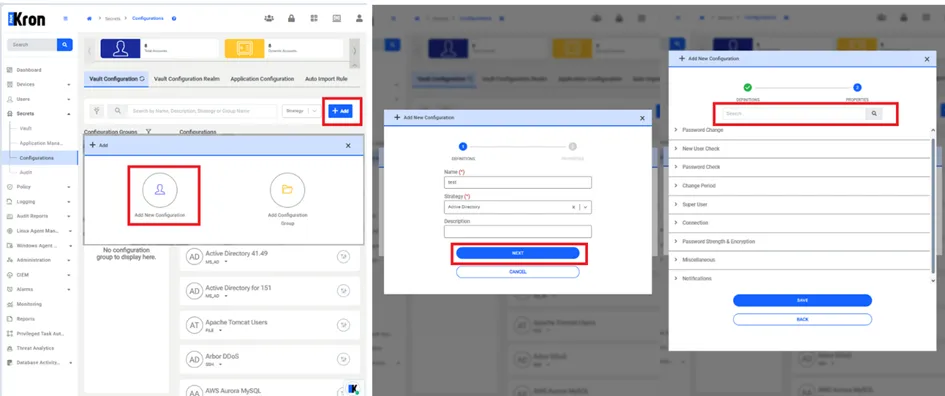
In this menu, Kron PAM can list the available Vault configurations, and users can create new Vault configurations. To create new vault configurations, follow the steps below:
1. Navigate to Secrets > Vault Configuration.
2. Click +Add.
3. Select the Add New Configuration button.
4. Fill out the Name and Strategy field and click Next.
5. Save.
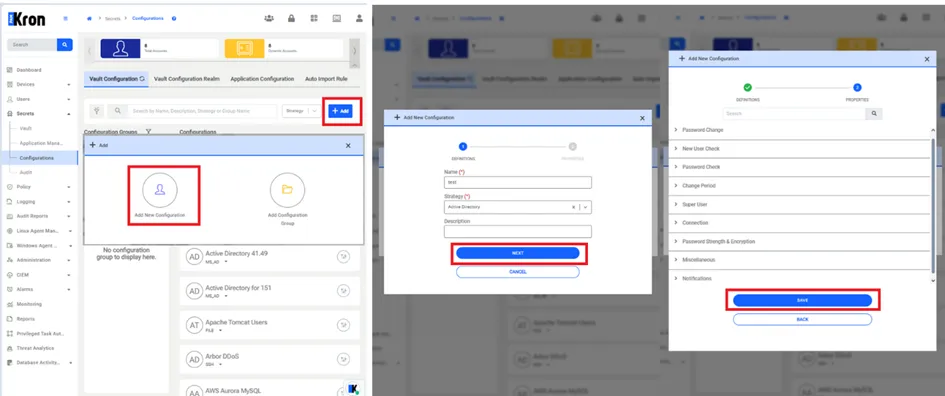
To search for parameters within a Vault Configuration create/edit modal:
1. Navigate to Secrets > Vault Configuration.
2. Select the Vault Config and proceed with Action button.
3. Select the Edit Configuration button.
4. Navigate Next button.
5. Fill out the Search field and click the Search button.