AWS S3
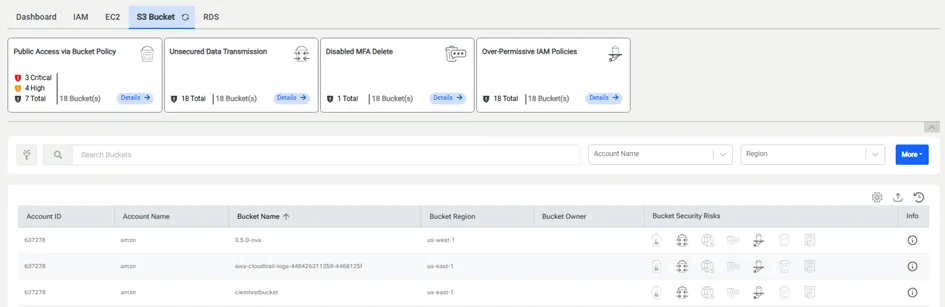
AWS S3 Bucket tab includes:
· Security Risk Cards Section,
· Filter Section,
· Data Table that containsExport Button, Refresh Button, Table Settings Button, Account ID, Account Name, Bucket Name,Bucket Region, Bucket Owner, Bucket Security Risks, ACL (pre-selected, can be de-selected), Bucket Policies (pre-selected, can be de-selected), CORS (is shown, if it is selected in the table settings), Native Encryption (is shown, if it is selected in the table settings), Object Count (is shown, if it is selected in the table settings), Bucket Size (is shown, if it is selected in the table settings) and Info.
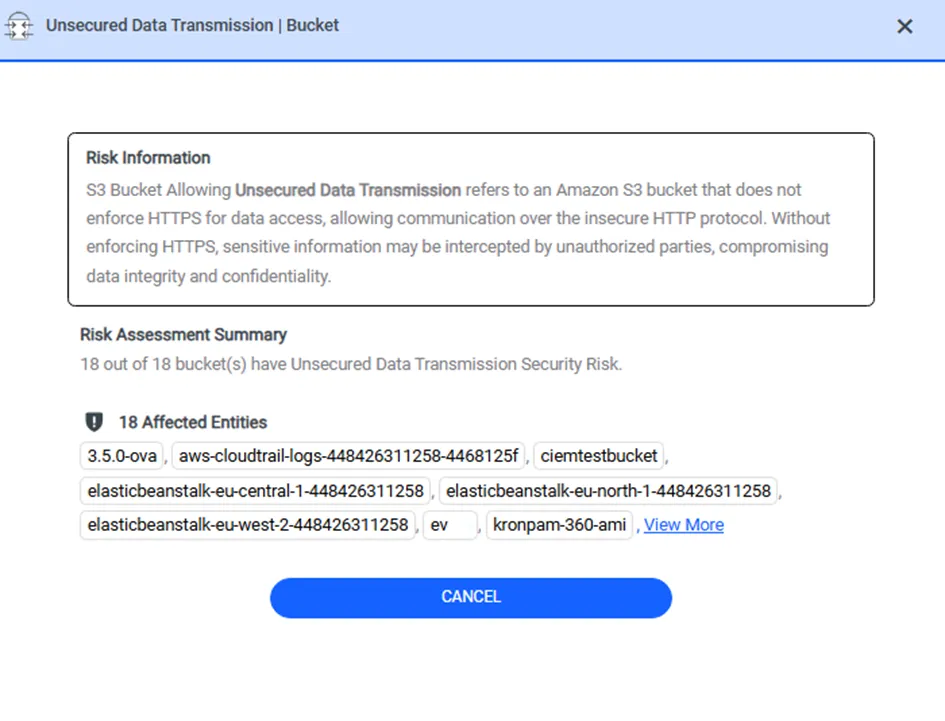
Once the user clicks the Details button on the security risk card, the modal window is opened. The modal window consists of risk information, risk assessment summary, and buckets with severity levels, if the security risk has severity levels. If the security risk hasn’t any severity levels, the modal window only consists of risk information and risk assessment summary.

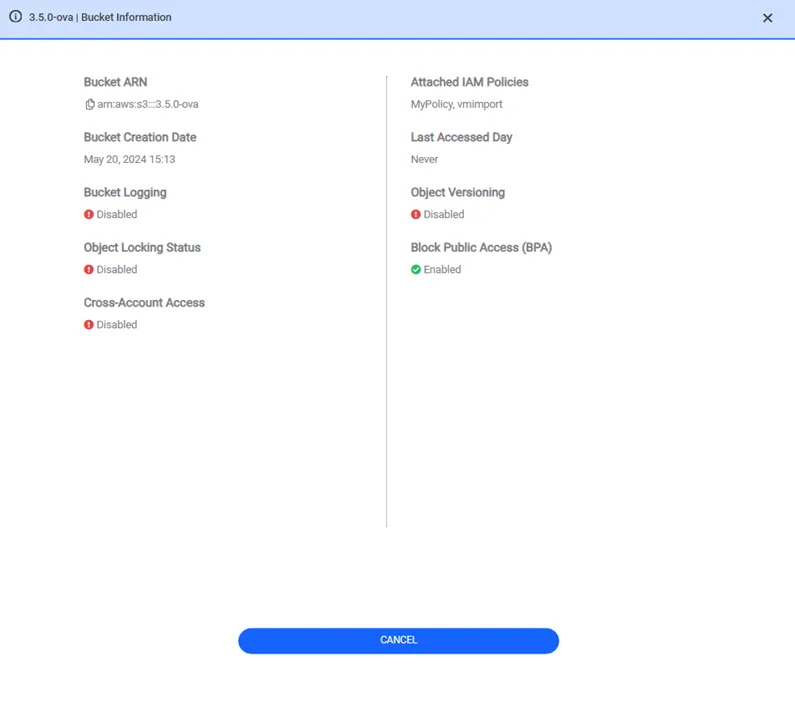
Once the Info button is clicked, the Bucket Information modal is opened. The modal contains Block Public Access (BPA), Bucket ARN, Bucket Creation Date, Lifecycle Policies, Logging Status, Object Locking Status, Object Lifecycle Management, Object Versioning Status, Bucket Last Accessed Date, Cross-Account Access and lastly Attached IAM Policies.