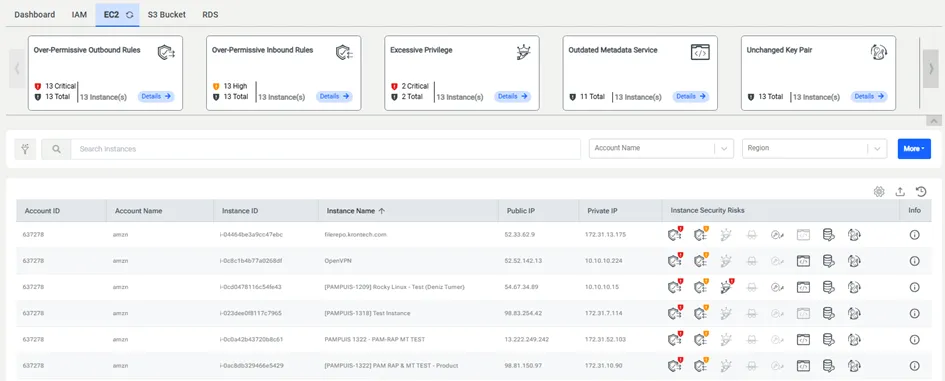
AWS EC2
AWS EC2 tab includes:
· Security Risk Cards Section,
· Filter Section,
· Data Table that containsExport Button, Refresh Button, Table Settings Button, Account ID, Account Name, Instance ID, Instance Name, Instance Security Risks, Region (pre-selected, can be de-selected), Zone (pre-selected, can be de-selected), Instance Type (is shown, if it is selected in the table settings), Security Groups (is shown, if it is selected in the table settings), IAM Roles Attached (is shown, if it is selected in the table settings), Key Pair Used For Authentication (is shown, if it is selected in the table settings), Public IP (is shown, if it is selected in the table settings), Private IP (is shown, if it is selected in the table settings) and Info.
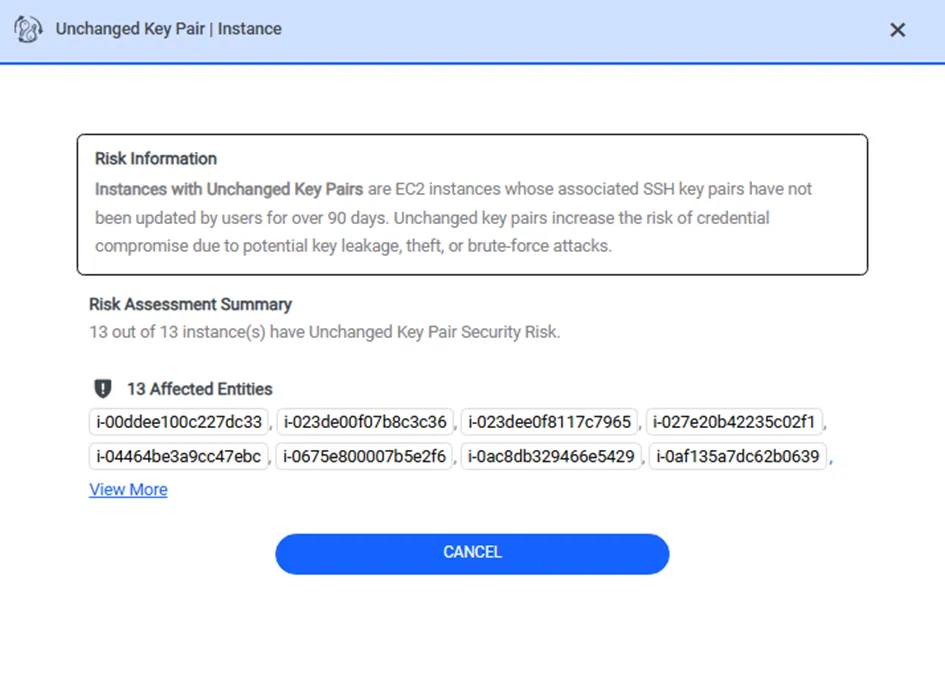
Once the user clicks the Details button on the security risk card, the modal window is opened. The modal window consists of risk information, risk assessment summary, and instances with severity levels, if the security risk has severity levels. If the security risk hasn’t any severity levels, the modal window only consists of risk information and risk assessment summary.

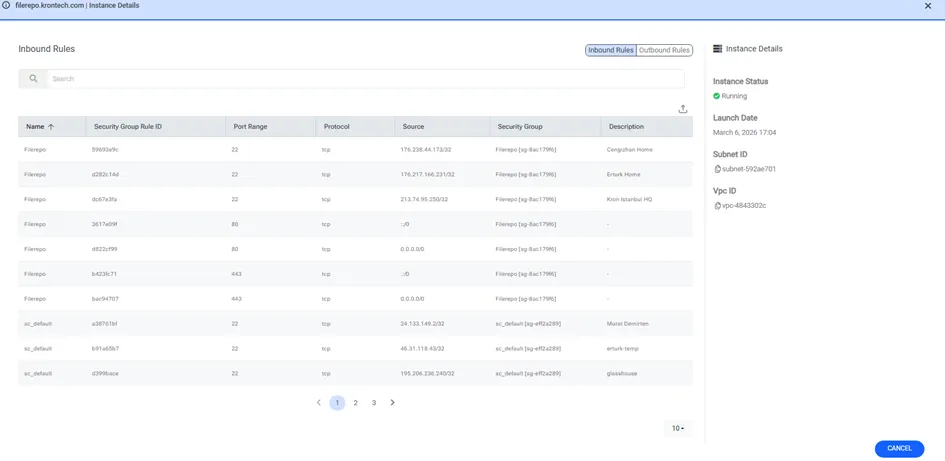
Once the Info button is clicked, the Instance Information modal is opened. The modal has two subsections: the former (Security Group Rules) contains either Outbound or Inbound Rules, whereas the latter (Instance Details) contains instance details such as Launch Date, Instance Status, Private IP DNS name, Public IP DNS name…