Recycle Bin For Vault Accounts
Kron PAM keeps a record of deleted Vault accounts and can restore them later.
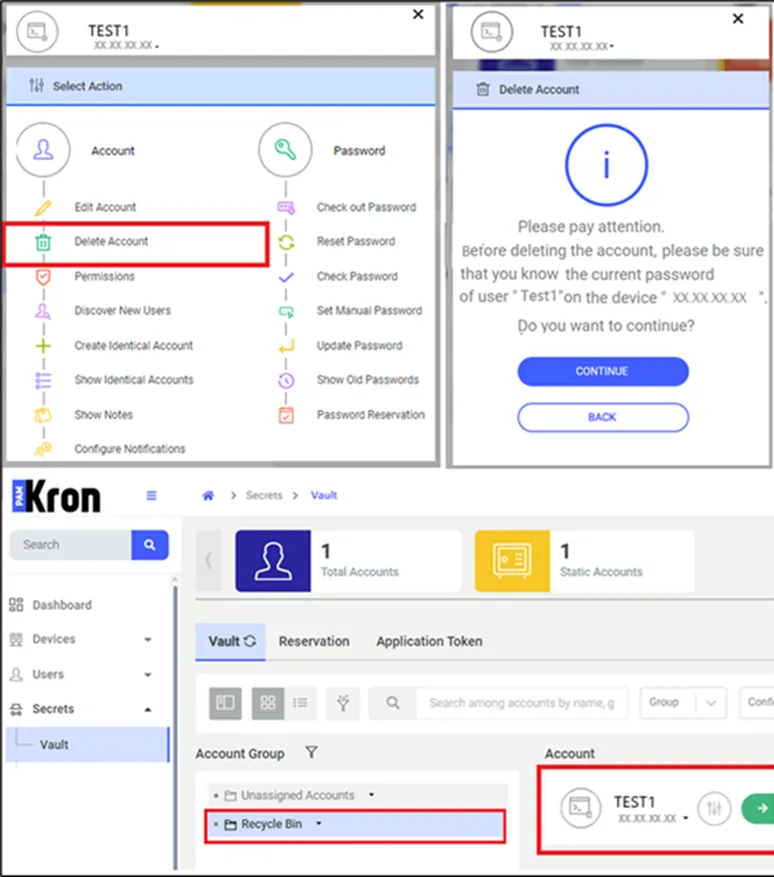
A group called Recycle Bin is present on the Vault screen under Unassigned Accounts. When the user deletes any Vault account, the deleted account will be automatically assigned to this group.
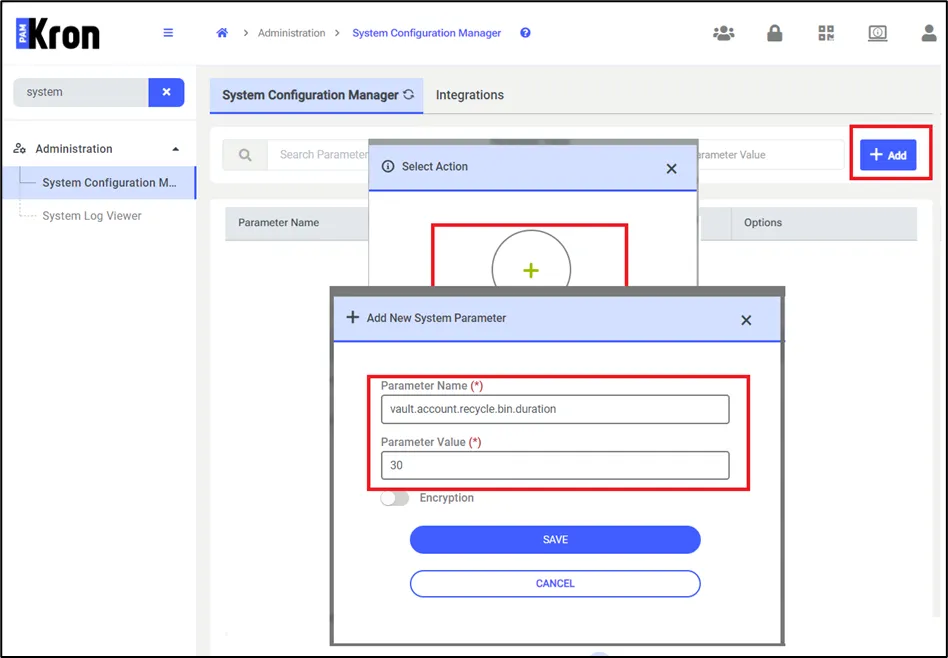
- A general parameter called vault.account.recycle.bin.duration can be set in the System Configuration Manager screen. This parameter stores the number of days after which the accounts moved to the Recycle Bin will be permanently deleted.
- Parameter Value: Defined_by_user (must be day)
- The RecycleBinJob over at the Job Scheduler can be set to run every day to check accounts in the Recycle Bin group and permanently remove those whose time has expired.
- If the time has not expired yet for deleted accounts, the user is able to list and restore them.
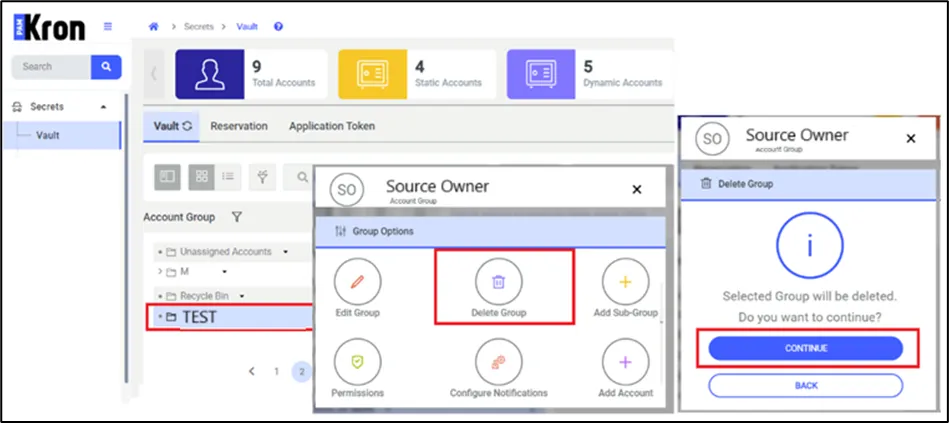
- If a Vault's group has been deleted before restoring the vault then like the below figure:
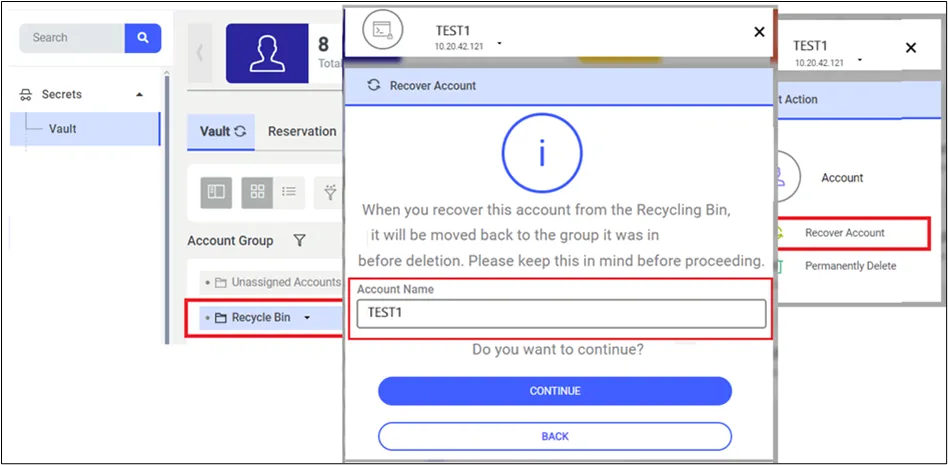
If the user selects Recover Account from the Recycle Bin, and wants to change the Vault account, there will be an Account Name field where the user can change the Vault account name.
If the Vault's group has been deleted before recovering the Vault account, Kron PAM will move the Vault account from Recycle Bin to Unassigned Accounts.
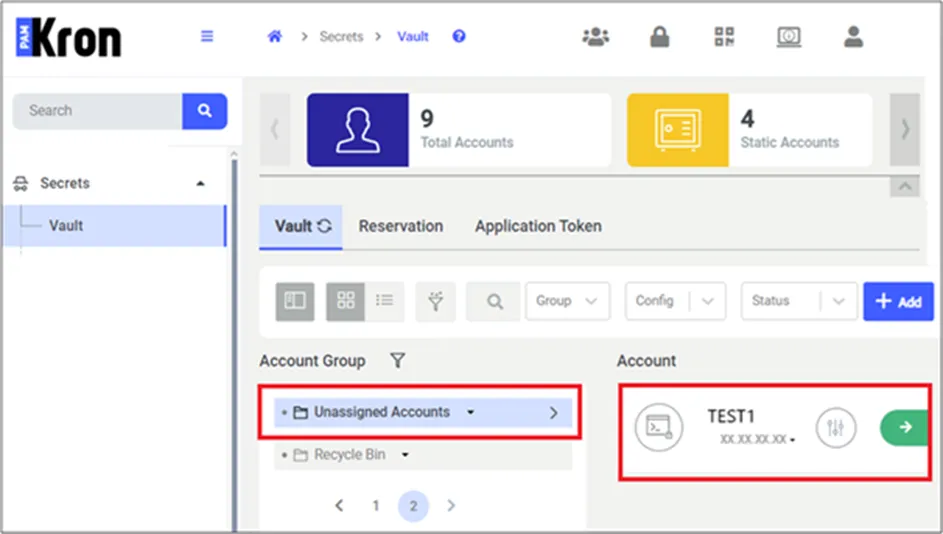
When the user finds the account they want to recover from the Recycle Bin group and clicks on the Properties button, two buttons labeled Restore Account and Permanently Delete appear on the screen. If the user clicks the "Restore" button, the system makes the relevant account available for use again.
If the Permanently Delete button is clicked, Kron PAM permanently deletes the account, and there will be no way to recover it.
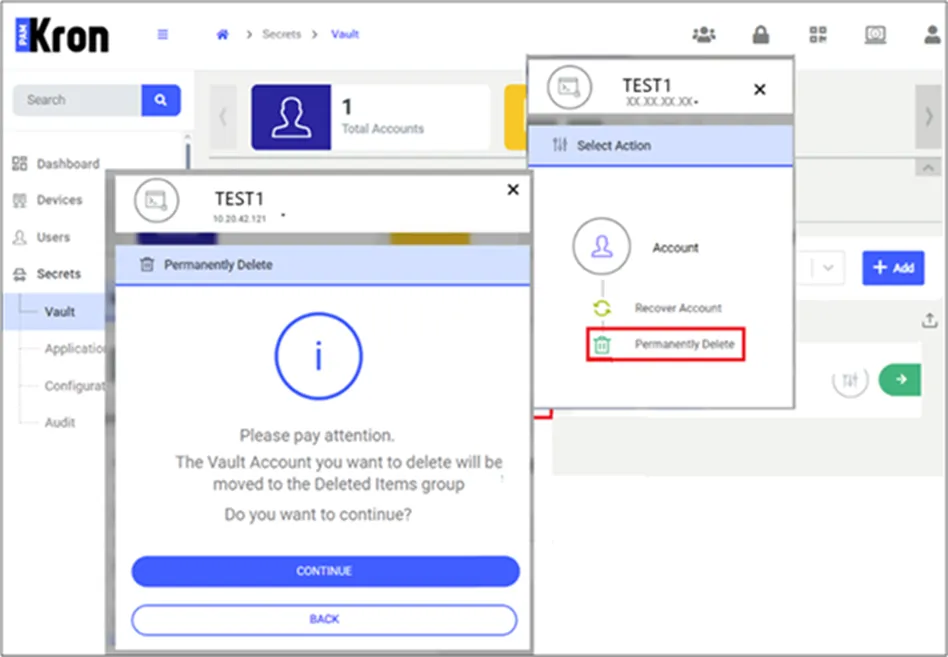
- Permanently Delete action is allowed for the below users;
- PAM Admin
- Owner of the Account
- Password Vault Admin (Vault Admin)