Connect to Device
With the Connect to Device feature, users are able to connect to a device that does not have a device definition in the system but is in the same subnet with an existing device, and shares the same username/password.
To establish such a connection, the following procedures must have been completed previously.
- It is checked that the user and password are the same on the server to be connected.
- Select the Element Type value from the Device > Element Type screen.
- Select the Auto-Discovery value from the Association Tags panel.
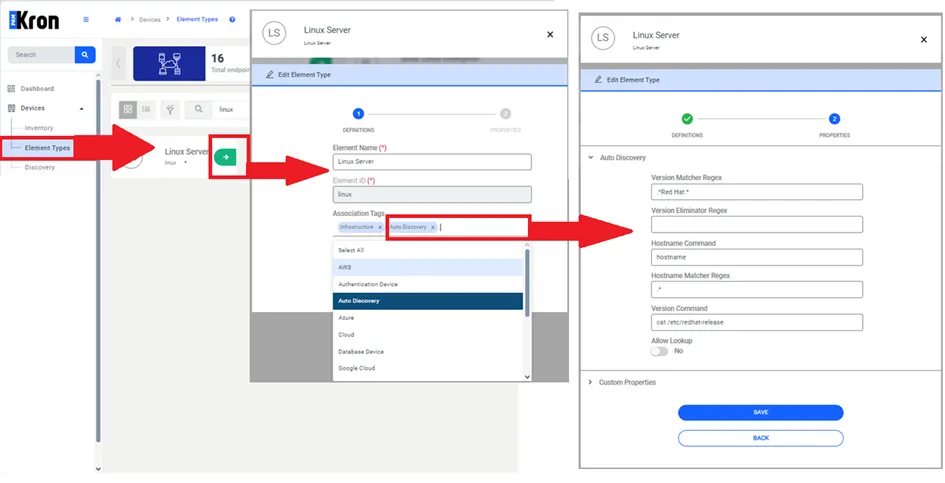
Discovery Definition
To find the correct device from the Auto Discovery panel, the necessary parameters must be defined.
- Subnet definition should be made for the group to which the device belongs from the Device Group screen.
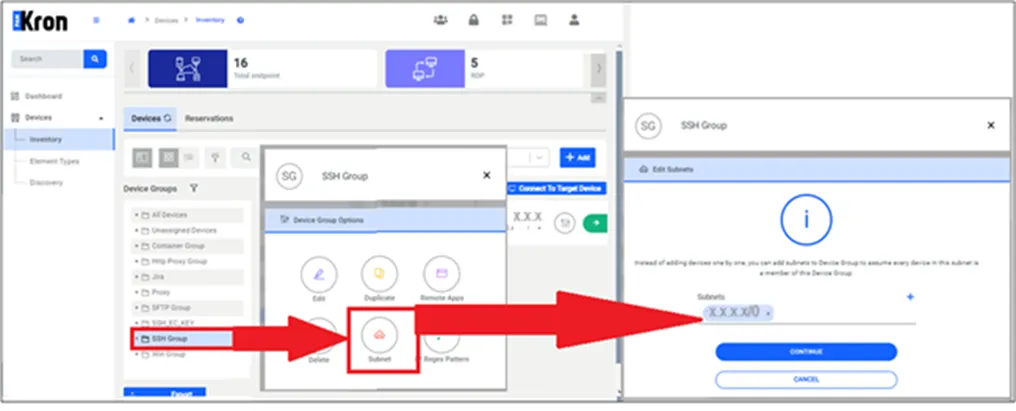
Subnet Definition of Device Group
Discovery should be made to match Device Group - Element Type - Access Protocol.
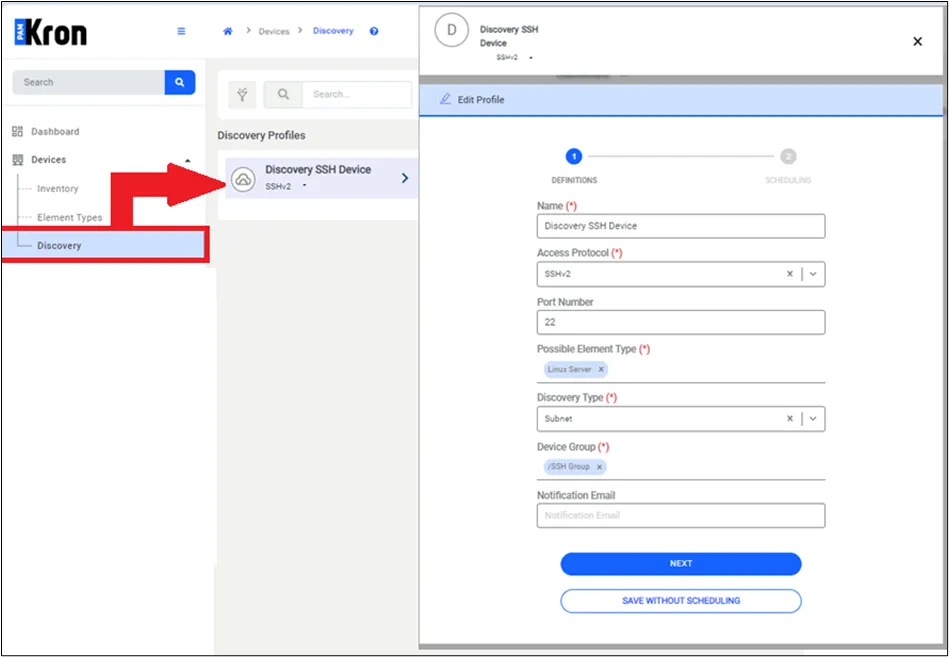
Discovery Definition
- Secrets > Configuration, and enable the Connect to Target Device flag for Vault configurations you need this feature for.
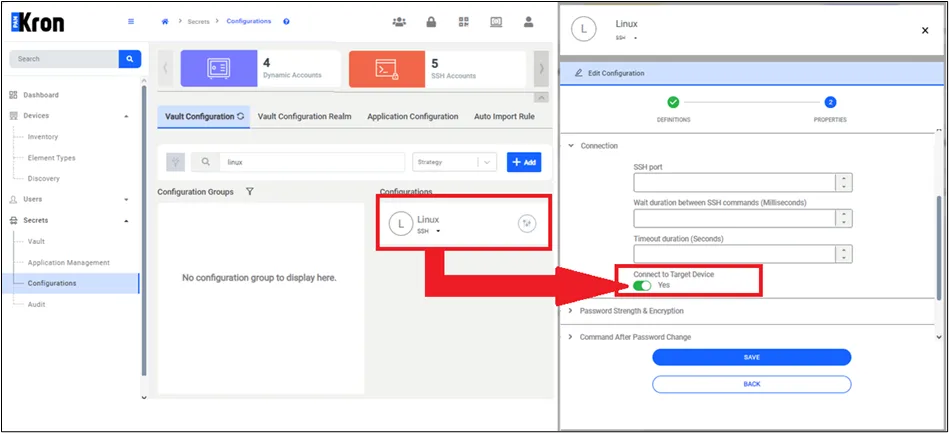
Secret Configuration Definition Screen
Alongside the Check Out Password option for the selected Vault account, the Connect to Device option will appear on the screen, and the IP address of the device to which device you want to connect can be written.
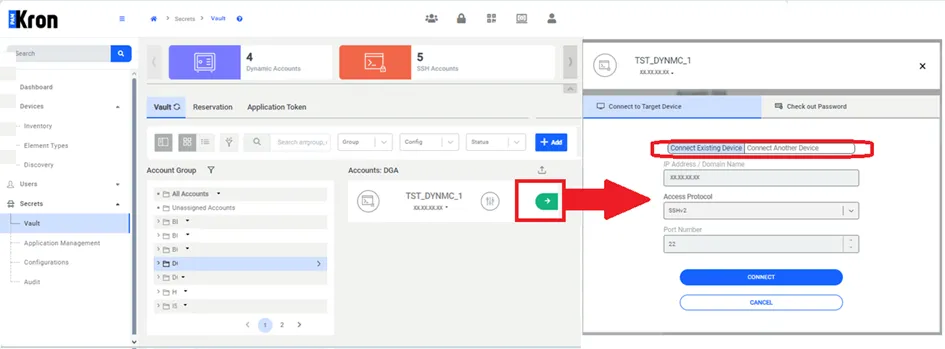
Secret Password Check Out Screen