Creating a Connection Between Kron PAM and the Kron PAM Mobile Client Application
The Kron PAM Mobile Client Application is available on the Android and Apple app stores. Users need to download it first and follow these steps to synchronize Kron PAM and the Mobile Client:
- Open the Kron PAM Mobile Client Application.
- Select Offline Token > Scan QR Code.
- Use the Kron PAM Mobile Client Application to scan the QR code included in the email sent by an admin.
- By scanning the QR code, the MFA key matches up the Kron PAM Mobile Client Application and the Kron PAM Web GUI.
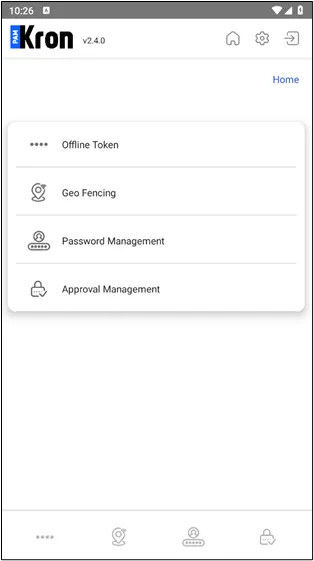
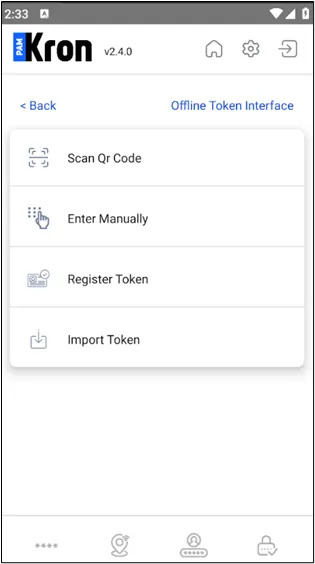
Creating a Connection between Kron PAM and its Mobile Client Application

Creating a Connection between Kron PAM and its Mobile Client Application
OTP can also be used in MFA Clients such as Google Authenticator or Microsoft Authenticator, apart from the Kron PAM Mobile Client Application. Only the Kron PAM Mobile Client is allowed by default, but other TFA apps (Aegis, Ente, Google Authenticator etc.) can be allowed by following the steps below:
- Navigate to Administration > System Configuration Manager.
- Set the required parameters: iga.2fa.use.external.mobile.app=true (Default value is false)
All QR codes sent to users after this parameter is enabled will work on aforementioned TFA apps.