Enabling Multi-Factor Authentication (MFA)
There are different MFA use cases: 1. Using MFA to log in to the Kron PAM Web GUI 2. Using MFA to log in to the Kron PAM Desktop Client 3. Using MFA for SSH/RDP Connections 4. Using MFA for SSH Proxy 5. Using MFA for HTTP/HTTPS Proxy 6. Using MFA for SFTP Proxy 7. Using MFA for TACACS+ and Radius 8. Using MFA for Kron PAM Mobile Client Application 9. Using MFA for Secure Remote Access
For every use case, MFA needs to be enabled at the user group level.
To enable MFA for a user group:
- Navigate to Administration > MFA.
- Open the User Group Management tab.
- Click the Options button and select Enable OTP for the desired user group
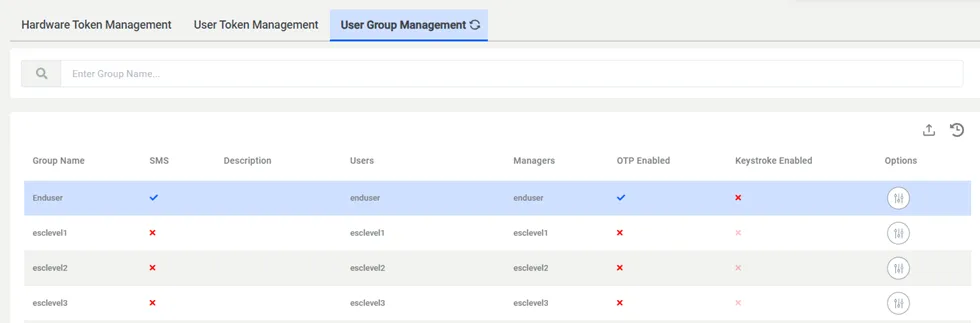
Enabling MFA for a User Group
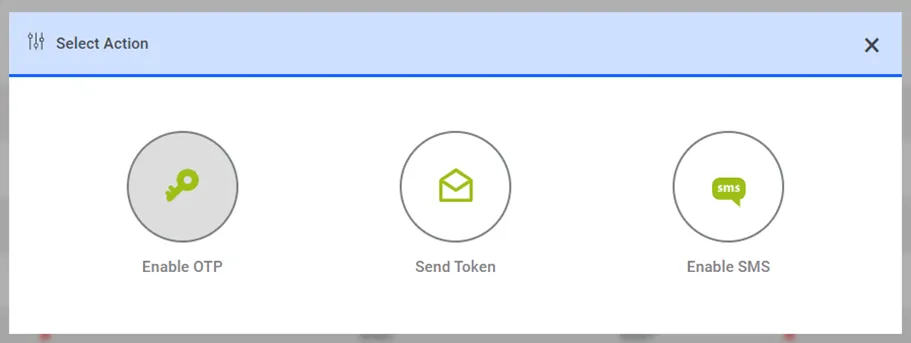
Enabling MFA for a User Group