Adding a Database as a Device
This section shows how to add one database to the Kron PAM.
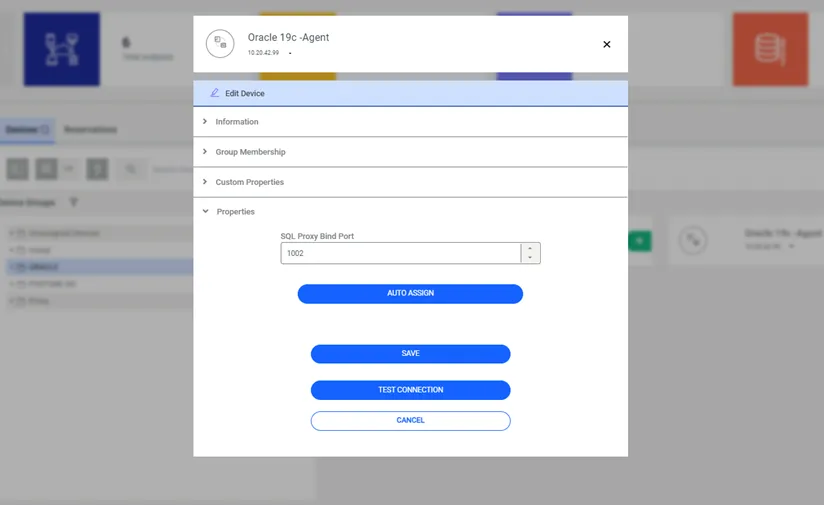
The port number is the identifier of the connection to ORACLE, MSSQL, MySQL and Cassandra, Teradata, Hive, PostgreSQL, and DB2 via a Kron PAM SQL Proxy. The port number must be defined in the Device Properties of the MSSQL, MySQL, Cassandra, Teradata, Hive, PostgreSQL, DB2, SAP Hana, and Couchbase databases.
The following system configuration parameter should be set for the port assignment option:
- Navigate to Administration > System Config Manager.
- Click the +Add button.
- Inside the pop-up, select the Add New System Parameter button.
- Set the sql.proxy.bind.port.range parameter with the requested port range.
Parameter Name | Parameter Value |
|---|---|
sql.proxy.bind.port.range | Port range (e.g. 1000-2000) |
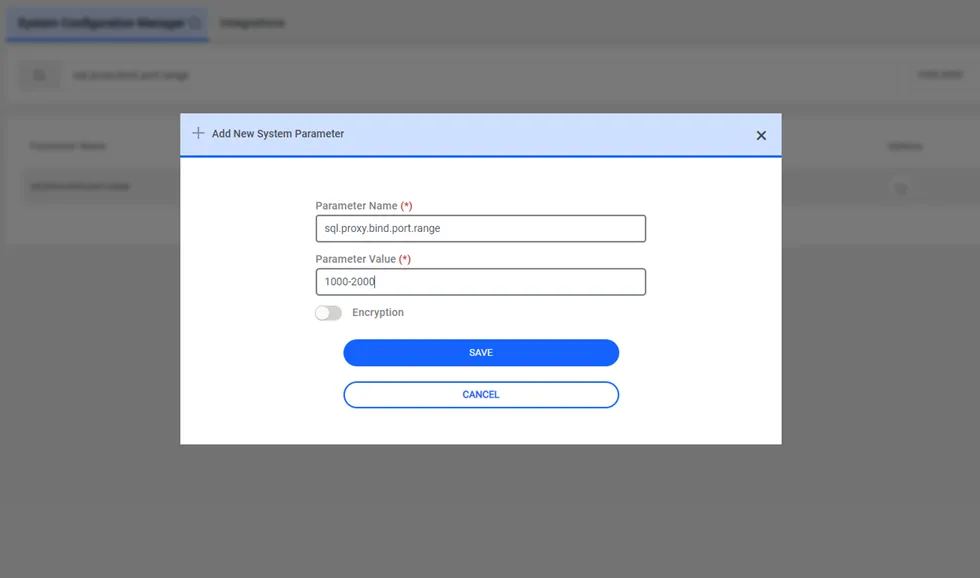
The target database is configured as a device:
- Navigate to Devices > Inventory.
- Click the +Add button.
- Inside the pop-up, select the Add Device button.
- Information: Enter the following required information: a. IP address b. Device Name c. Port (if not set, the default port is used according to the access protocol) d. Access protocol (Oracle TNS, MSSQL, Postgres, etc.). When you select Access protocol, the following inputs will appear: e. Element Type
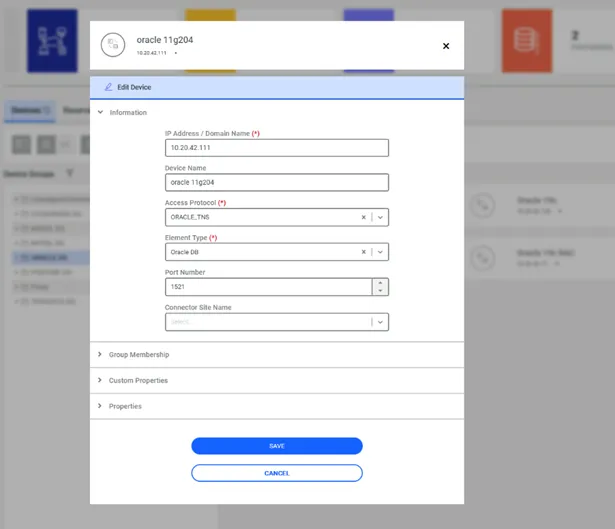
- Group Membership: Enter your device group.
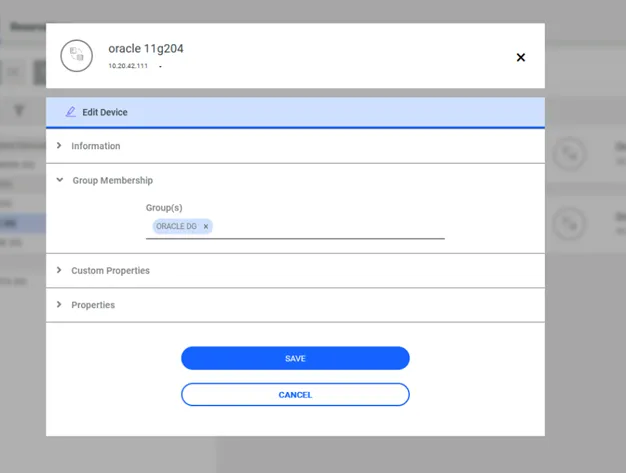
- Properties, click the Auto Assign (This will use the setup parameter of the system configuration manager guided earlier)
- Click the Test Connection button to test the connection information you provided.
- Save.
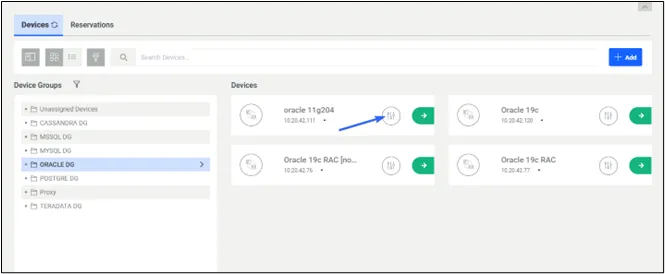
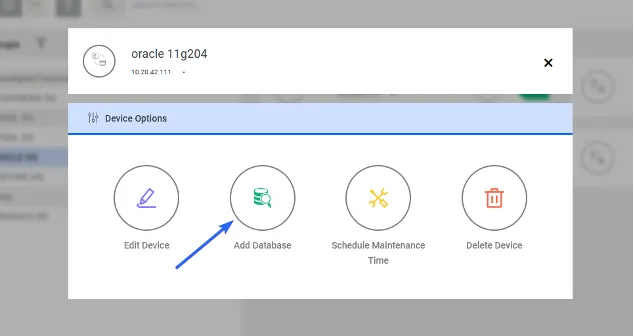
Once the configurations are complete, to define a database, go to the options button of the device you defined.
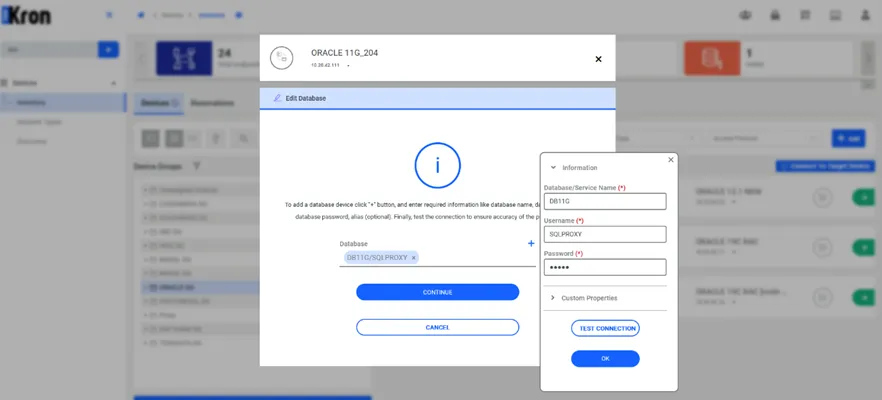
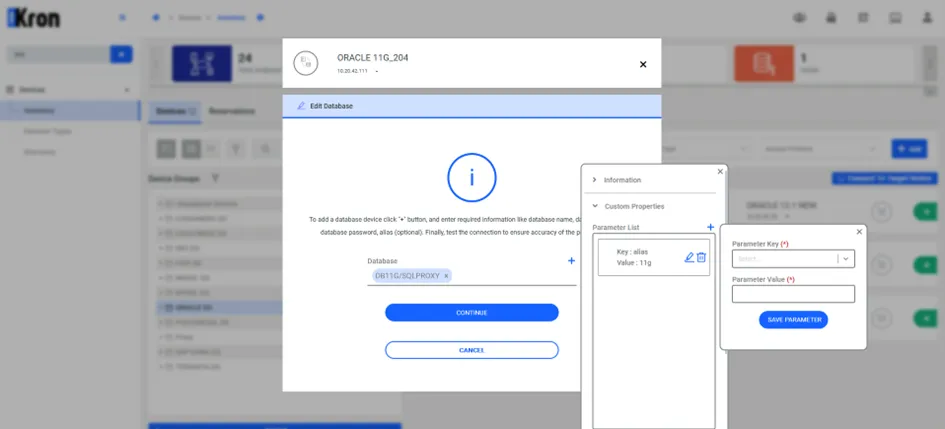
When you select Access protocol, the following inputs will appear:
- Database/Service Name: This is the name of the database you want to connect to. It’s a unique identifier for the database on the server.
- Username: This is the username of the account you’re using to access the database. It must match the username created by the User.
- Database Password: This is the password associated with the database username. It’s used to authenticate the user and grant access to the database.
- Alias (optional): This is an optional nickname you can give to the database connection (only in Oracle databases). It’s used to easily identify the database in the future without having to remember the specific database name.
Finally, you can click the Test Connection button to check whether the credentials are correct.