Connecting to an Oracle Database via Single Connect SQL Proxy
1 min
To connect to an Oracle database:
- Create a new connection on the SQL Client (Toad, Navicat, etc.)
- Enter the database username and password
- Set the Single Connect IP address and port as the connection host and port.
- Enter the target database IP address, port, and name into the service name field. These values should be separated with a colon “:”.
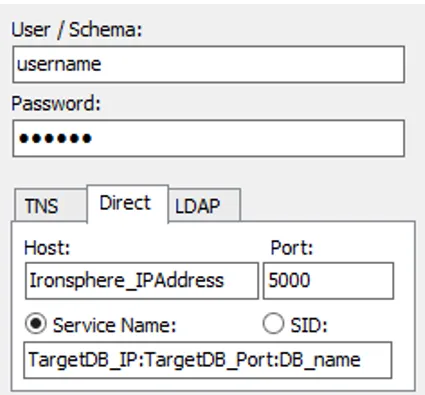
The username and password are the same as the user credentials used to directly connect to the database. The username must be defined as a user in Single Connect, and realms must be created for connection and policy enforcement by a system Admin.