Filtering & Advanced Filtering
Filtering
In Kron TP, filtering refers to the process of selectively allowing or blocking certain data based on specified criteria. Filtering is a crucial component in managing and optimizing telemetry data, helping to focus on relevant information and reduce the volume of data that needs to be processed or stored. How to use a filter transform is straight-forward; a user just needs to enter a condition for the data that he or she wants to filter from the mainstream to create a substream. The primary purposes of filtering in a telemetry pipeline include:
Data Reduction:
Filtering allows you to exclude or discard unnecessary or less relevant data, reducing the overall volume of telemetry data. This is particularly important in scenarios where there is a large amount of data generated and it's not feasible or necessary to process or store all of it.
Focus on relevant information
By defining specific criteria for filtering, you can concentrate on capturing and analyzing the data that is most relevant to your monitoring or analysis goals. This ensures that you are working with meaningful and actionable information.
Noise Reduction:
Telemetry data may include noise or irrelevant information that can obscure meaningful patterns or events. Filtering helps remove this noise, improving the signal-to-noise ratio and enhancing the quality of the data being analyzed.
Security and Privacy Compliance:
Filtering can be used to exclude sensitive or personally identifiable information (PII) from telemetry data, ensuring compliance with privacy regulations and safeguarding sensitive data from unauthorized access or exposure.
Customization and tailoring:
Telemetry pipelines often allow users to define custom filters based on specific criteria or conditions. This flexibility enables customization of the pipeline to suit the unique requirements of different applications or monitoring scenarios.
Difference Between Filtering and Advanced Filtering Transform Functions
Examples of filtering criteria in telemetry pipelines may include specific data ranges, threshold values, patterns, or combinations of attributes. The configuration of filters is often done based on the specific use case, application, or analysis goals of the telemetry system.
The difference between advanced filtering and normal filtering lies in their capabilities and the types of data they can process. In normal filtering, operations can be performed without a structured data format using regular expressions (regex) and regular string based searches. This allows for more flexible handling of data, especially when the structure is not well defined.
On the other hand, advanced filtering is applicable only to parsed data, and it uses a different language called VRL instead of regex expressions. VRL provides a more specialized and structured way of expressing conditions on parsed data.
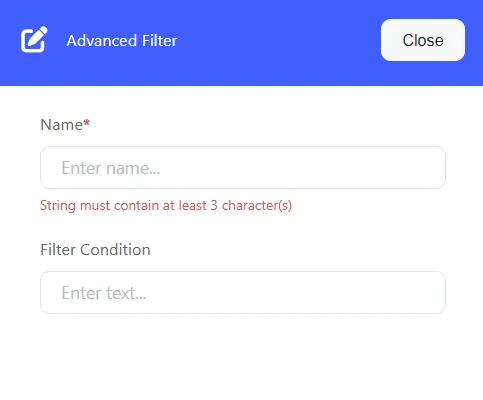
Advanced filtering Example:
.status_code != 200 && !includes(["info", "debug"], .severity)In this example, conditions are created using more sophisticated expressions, checking if the status code is not equal to 200 and if the severity is not included in the specified list. Demonstrates the use of advanced filters.
In summary, while normal filtering with regex is more versatile and can be applied to unstructured data, advanced filtering with VRL is designed for parsed data and allows for the creation of more complex and expressive conditions. The choice between them depends on the specific requirements and nature of the data being processed in the telemetry pipeline.