Web Monitoring
4 min
Web Monitoring
Adding Webservices
To add Webservices for monitoring, fallow the steps bellow.
- Login to Single Monitor Web GUI.
- Navigate to Monitoring Web.
- Click on Add Webservice from top right corner.
- Fill required fields click save.

Adding Webservices
Deleting Webservices
To delete Webservices fallow the steps bellow.
- Login to Single Monitor Web GUI.
- Navigate to Monitoring Web.
- Select the Webservice from the check box next to its name.
- Navigate to bulk actions. Select Delete and Apply.
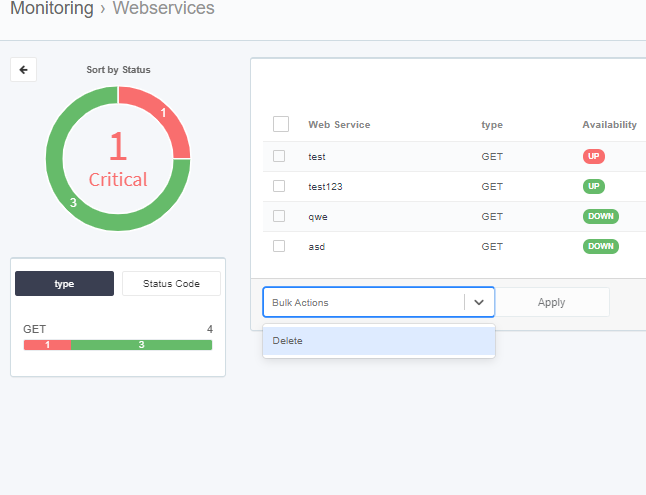
Deleting Webservice
Viewing Information for Webservices
To view detailed information of Webservices fallow the steps bellow.
- Login to Single Monitor Web GUI.
- Navigate to Monitoring Web.
- Click on the webservice name for viewing detailed information.

Viewing Webservice information