Storage Monitoring
4 min
Storage
Adding New Storage
To add a New Storage, fallow the steps bellow.
- Login to Single Monitor Web GUI.
- Navigate to Monitoring Storage.
- From top right corner click on Add Storage.
- Fill required fields.
- Click ok.
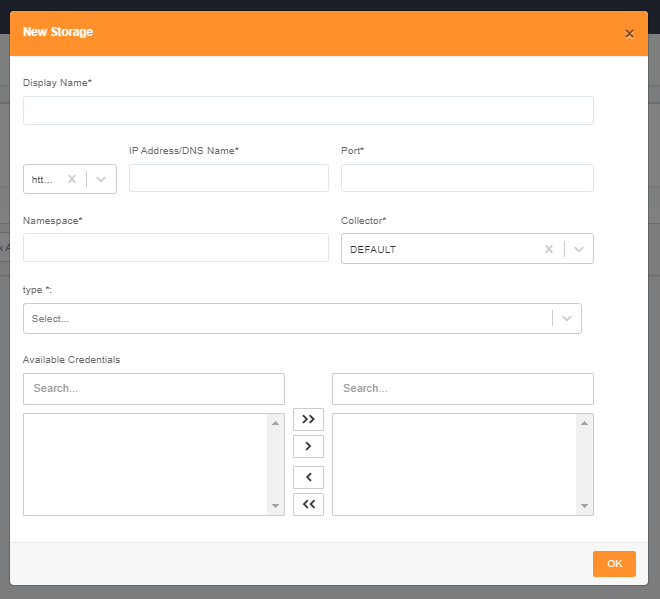
Adding Storage
Summary Screens
To view the Summary Screen for storage, fallow the steps bellow.
- Login to Single Monitor Web GUI.
- Navigate to Monitoring Storage.
- From top right corner click Summary.

Adding Storage
Deleting Storage Device
To delete a storage device, fallow the steps bellow.
- Login to Single Monitor Web GUI.
- Navigate to Monitoring Storage.
- Select the device that will be deleted from the check box next to its IP address.
- Scroll down to bulk actions select delete.
- Click Apply.