Configurations
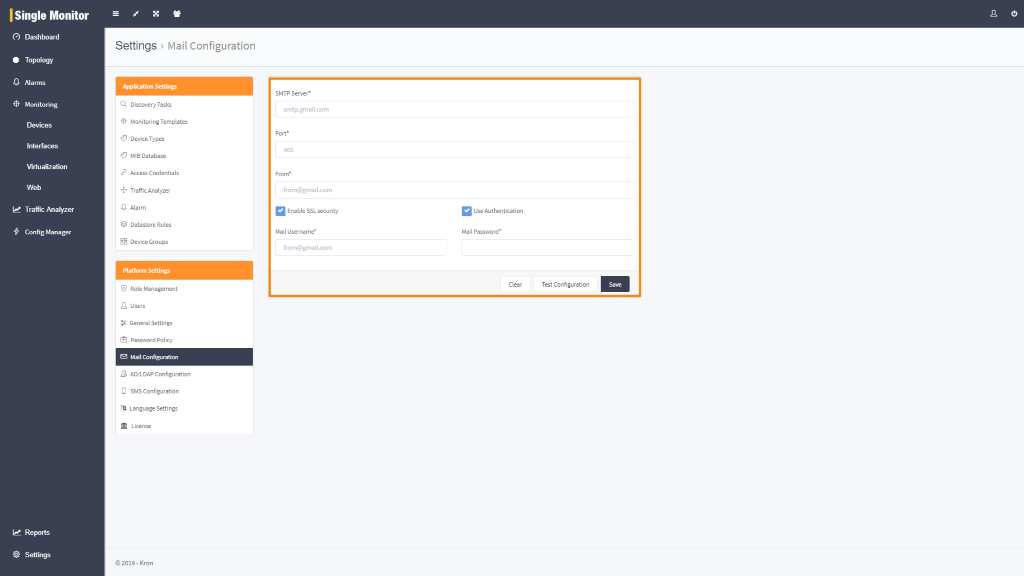
Single Monitor Mail Configuration
Single Monitor mail notifications are sent from a mail server that will user define.
To configure : mail configurations, follow steps below.
- Login to Single Monitor Web GUI
- Navigate to Settings – Mail Configuration
- Set following parameters using your e-mail server information
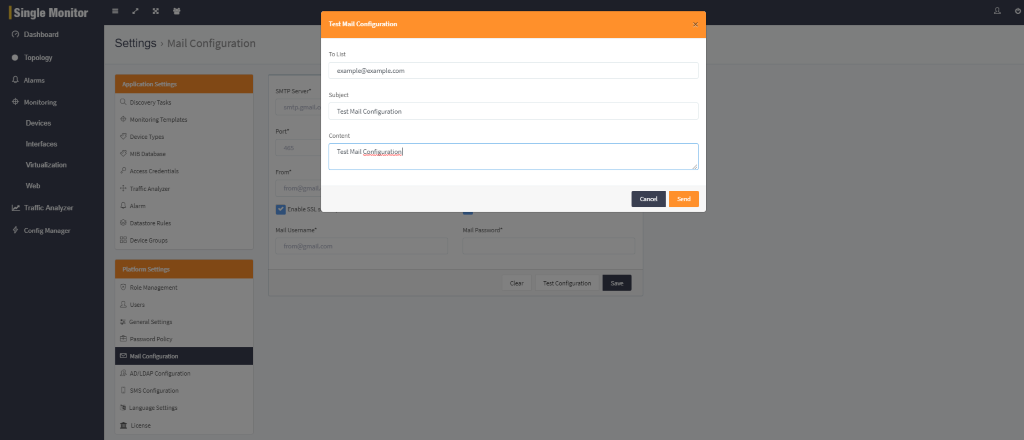
To test mail configuration, follow steps below.
- Login to Single Monitor Web GUI
- Navigate to Settings – Mail Configuration
- Click Test Configuration and enter necessary information then click Send
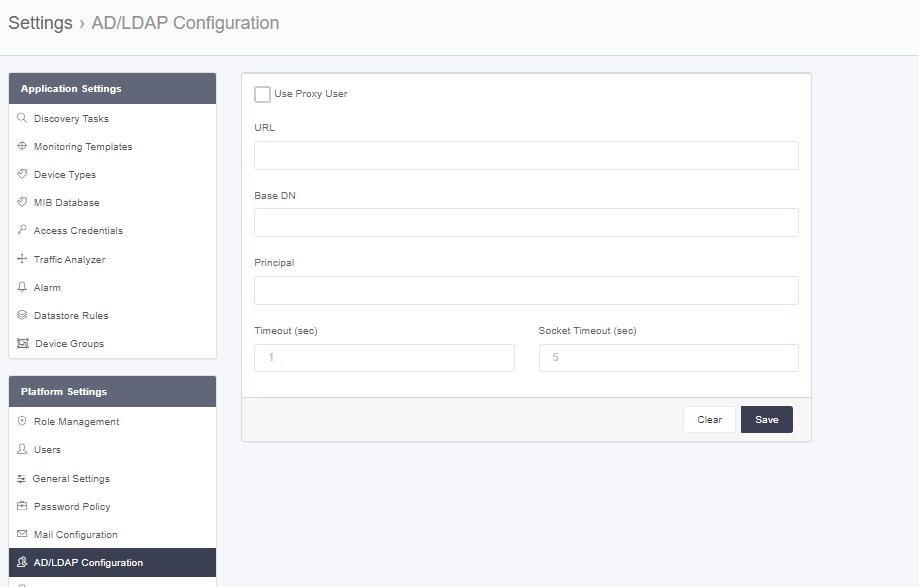
AD/LDAP Configuration
To configure AD/LDAP follow the steps bellow. With this feature external users from LDAP/AD can log in to SM.
- Login to Single Monitor Web GUI
- Navigate to Settings – AD/LDAP.
- Fill required fields click save.
SMS Configuration
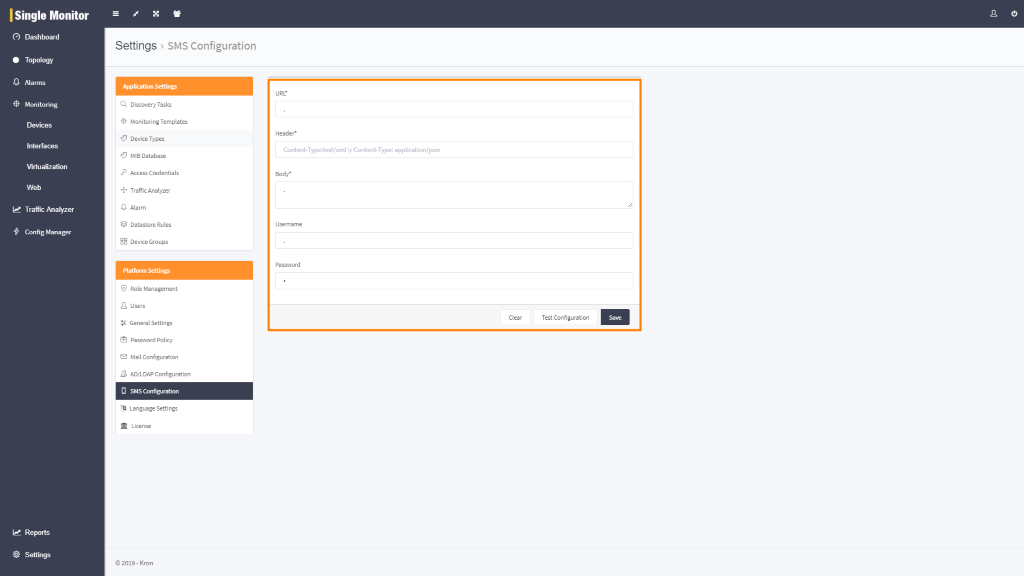
Single Monitor SMS notifications are sent from a mail server that will user define.
To configure : SMS configurations, follow steps below.
- Login to Single Monitor Web GUI
- Navigate to Settings – SMS Configuration
- Set following parameters using your SMS server information
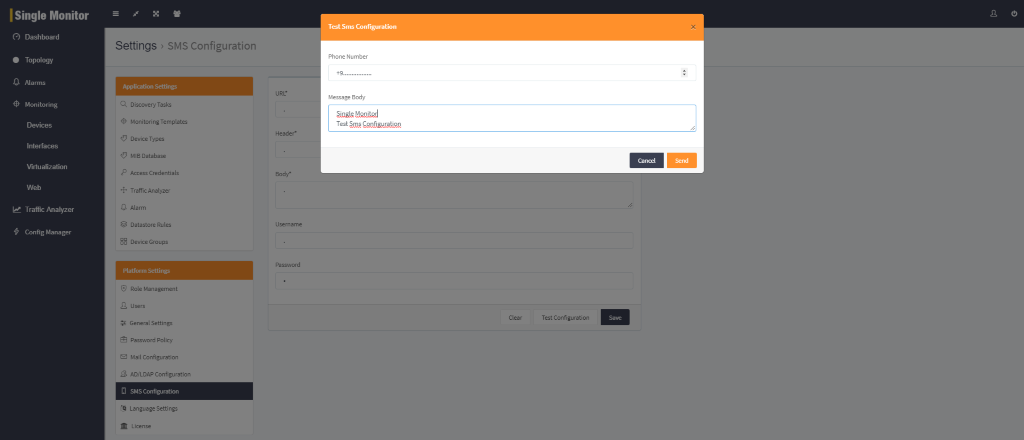
To test SMS Configuration, follow steps below.
- Login to Single Monitor Web GUI
- Navigate to Settings – SMS Configuration
- Click Test Configuration and enter necessary information then click Test Configuration
- Fill the required fields and chose a type. Click okay.
Editing Datastore Rules
To edit datastore rules fallow steps bellow.
- Login to Single Monitor Web GUI.
- Navigate to settings datastore rules
- Set parameters according to needs.
- Click save.
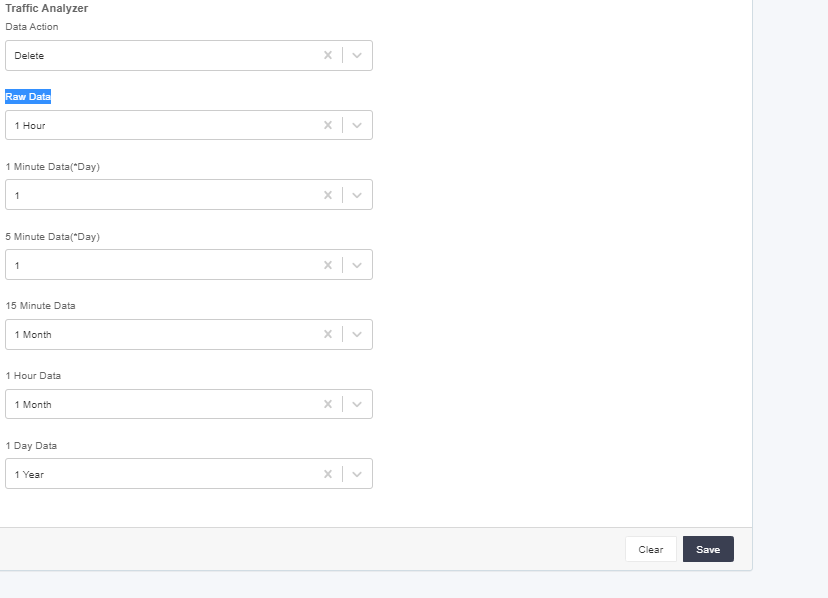
Clearing Datastore Rules
To clear datastore rules fallow the steps bellow.
- Login to Single Monitor Web GUI.
- Navigate to settings datastore rules
- Click Clear and this should set parameters to default.
Language Settings
To change Language Settings, fallow the steps bellow.
- Login to Single Monitor Web GUI.
- Navigate to Settings Language Settings.
- Find The Key Word that will be changed it and you can manipulate how each word displayed on SM from here.
License Information
This section will be handled on later versions.
General Settings
This section will be handled on later versions.