Removing Approved Users
2 min
Manager users can remove users they previously approved. When the user selects an account or group, the Manager can view the approved users with the Configure Approved Users option. The Manager can remove the selected User Group with the Disapprove User option. To Remove Approved Users:
- Navigate to SAPM Management.
- Open the SAPM Group Management tab.
- Right-click the desired group in the tree, and select the Configure Approved Users option from the drop-down menu.
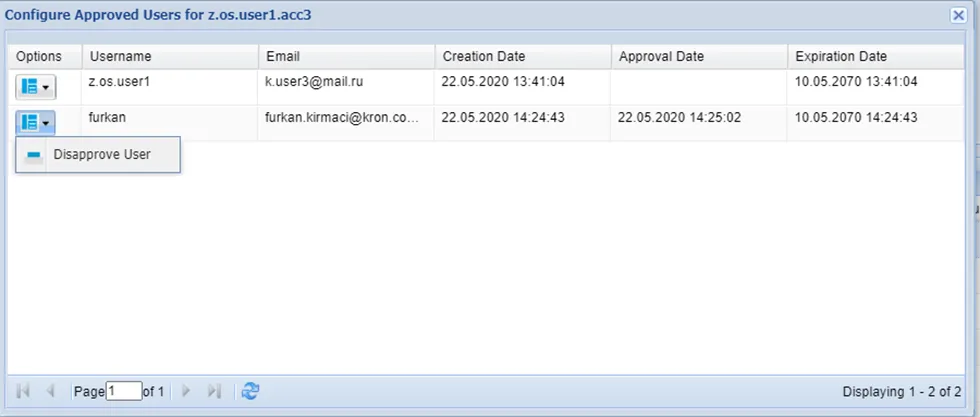
Configure Approved Users
- Select and disapprove user.
- Confirm the dialog box.
If a user is disapproved through the parent group, Single Connect asks whether or not to remove the subgroups and sub accounts. If Yes is selected, the removal is applied to all subgroups and sub accounts.
- If No is selected, the removal is applied to the selected group and its accounts.