📘
Reference Guide
Navigate through spaces
K
Reference Guide
Single Connect Administration
User Management
Device Management
Policy Management
Approval Management
Session Manager
Password Vault
Multi-Factor Authentication
TACACS+ Access Manager
Data Access Manager
Cloud PAM
Single Connect Reporting and Logging Functions
Privileged Task Automation Manager
Monitoring & Alarms
High Availability
Failover Scenario
Reporting
Multitenancy
DevOps Integration
APPENDIX 1: System Config Manager Parameters
APPENDIX 2: Job Descriptions for Job Scheduler
Docs powered by
Â
Archbee
Reference Guide
...
Managing Application-to-Applic...
Removing Accounts from AAPM
1 min
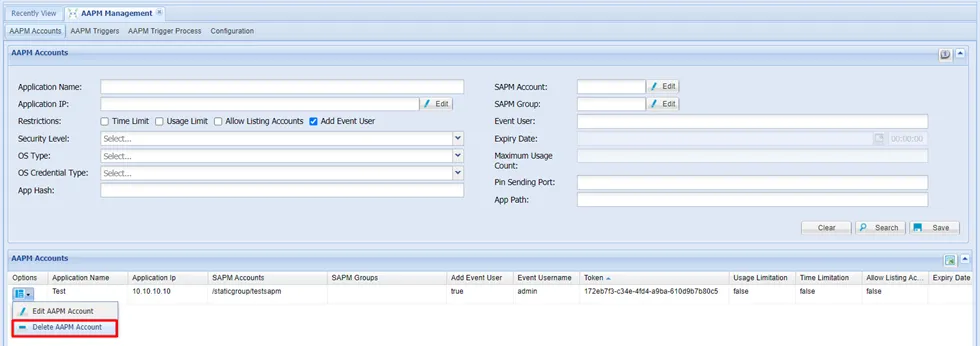
to delete an aapm account navigate to aapm management > aapm management open the aapm accounts tab click the options button of the account to be removed select delete aapm account confirm the dialog box
PREVIOUS
Adding Accounts in AAPM
NEXT
Requesting Passwords from AAPM
Docs powered by
Â
Archbee
Docs powered by
Â
Archbee