Adding Accounts in AAPM
To use an AAPM Rest API, a profile should be created for AAPM clients in the Dynamic Password Controller. These profiles are called AAPM Accounts in the Single Connect Web GUI.
To create an AAPM account, follow the steps below
- Navigate to AAPM Management > AAPM Management.
- Open the AAPM Accounts tab.
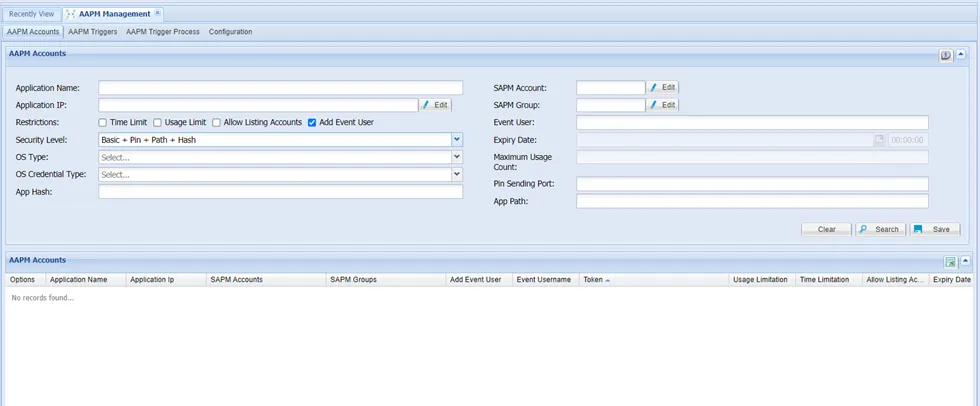
- Enter the Application Name, Event User, and Security Level. You can remove the Event User if the account should not be related to any user in the system.
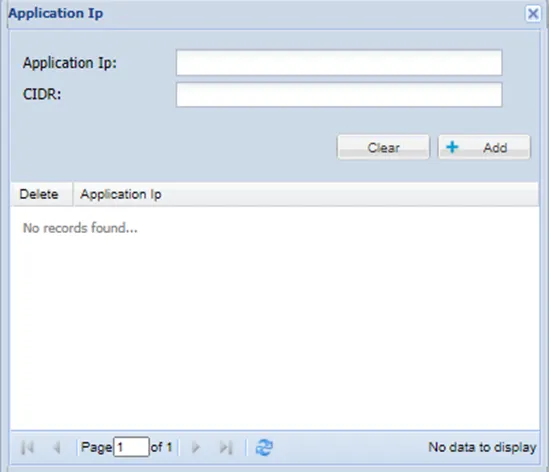
- To enter the requester source IP Address, click the Edit button next to the Application IP Address. In the pop-up screen, enter single or multiple IPs with CIDR.
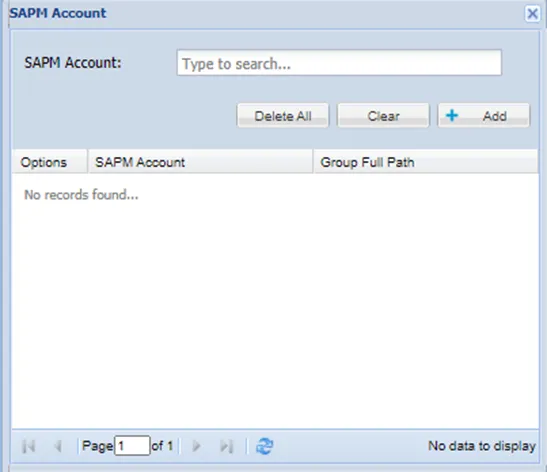
- To link SAPM account(s), click the Edit button next to the SAPM Account field. You can link a single or multiple SAPM accounts to the AAPM account. Linked accounts can be accessed with the same token. Accounts are searched by name and Group Full Paths.
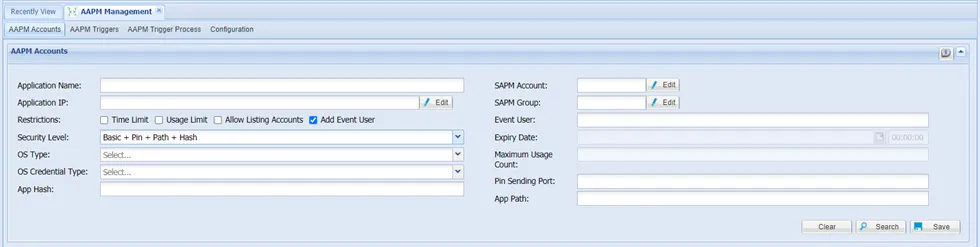
- Select any restrictions required from the restriction checkboxes. You can set time and usage limits.
- Select the Allow Listing Accounts checkbox if listing all linked SAPM accounts and groups to the AAPM token is required. If you don't select this checkbox, the linked SAPM accounts list cannot be retrieved through the /listSAPMAccounts API.
- Enter any optional parameters listed according to your Security Level choice (details described below), and click Save.
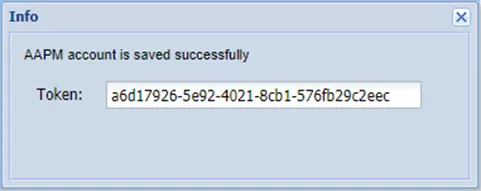
- After this step, an AAPM Account is created, and the AAPM authentication token is shown in the pop-up window.
- Copy this token by clicking the text box (Later, you’ll need to include this parameter in the Rest API requests).
Parameter Name | Parameter Value |
|---|---|
App Hash | The MD5SUM value of the application’s executable file. (Used for Basic + Pin + Path + Hash Security Level) |
App Path | The path of the application using AAPM (Used for all Security Levels including Path) |
Application IP | IP Address of the requester application. |
Application Name | Name of the application requesting the AAPM passwords. |
Event User | The user using the password. (This value is logged in the SAPM logs as the user of the password.) If the account should be independent of any user, the event user can be removed. If an event user is set and the user permissions are not sufficient to reach the secret, the secret will not be retrieved through AAPM. |
OS Account | The name of the account used by Single Connect while connecting and checking the path (Used for all Security Levels including Path) |
OS Account Password | The password of the account that will be used by Single Connect while connecting and checking the path. (Used for all Security Levels, including Path, and applicable for Manual User OS Credential Type only) |
OS Credential Type | The credential type used by Single Connect while connecting and checking the path Possible values: SAPM / Manual User (Used for all Security Levels including Path) |
OS Type | The operating system type of the server that hosts the application Possible values: Windows / Linux / Mac OS (Used for all Security Levels, including Path) |
PIN Sending Port | The port the client application is listening to Single Connect sends the PIN to this port (Used for all Security Levels, except Basic) |
SAPM Account | The SAPM account used in AAPM. |
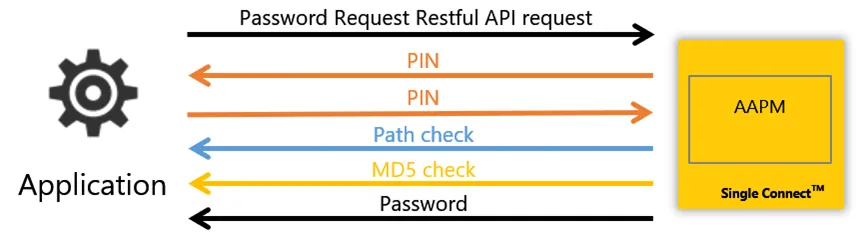
Security Level | The Security Level for the AAPM process. The possible values are: Basic: Default, basic AAPM Flow. The application requests the password via API. Single Connect checks the application’s token and source IP, and sends back the password as the response if everything is correct Basic + Pin: The application requests the password via API. Single Connect checks the application’s token and source IP and, if everything is connected, sends the PIN to a specific port. The application sends a second request with the PIN code and gets it. Basic + Pin + Path: The application requests the password via API. Single Connect checks the application’s token and source IP and, if everything is connected, sends the PIN to a specific port. The application sends a second request with the PIN code. Single Connect checks the path and name of the application and sends back the password if it is true. Basic + Pin + Path + Hash: The application requests the password via API. Single Connect checks the application’s token and source IP and, if everything is correct, sends the PIN to a specific port. The application sends a second request with the PIN code. Single Connect checks the path, name, and MD5SUM of the application and sends back the password if it is true. |
Time Limit | The Time Limit checkbox enables the users to set an expiry date for the AAPM token. |
Expiry Date | The Expiry Date field allows users to set a deadline for token usage. |
Usage Limit | The Usage Limit checkbox enables the users to set a limit for maximum usage. |
Maximum Usage Count | The Maximum Usage Count allows the users to define a maximum usage limit. |
Allow Listing Accounts | The Allow Listing Accounts checkbox enables the linked SAPM accounts and groups to be listed through the /listSAPMAccounts API. |