Zero Touch Onboarding of Windows Servers on Azure
Single Connect can provide seamless connection to Windows devices with the admin password. To import Windows devices from Azure to the Single Connect inventory:
- Set the device.import.azure.reset.windows.admin.password property as true in the element type, in addition to the other properties in the figure below.
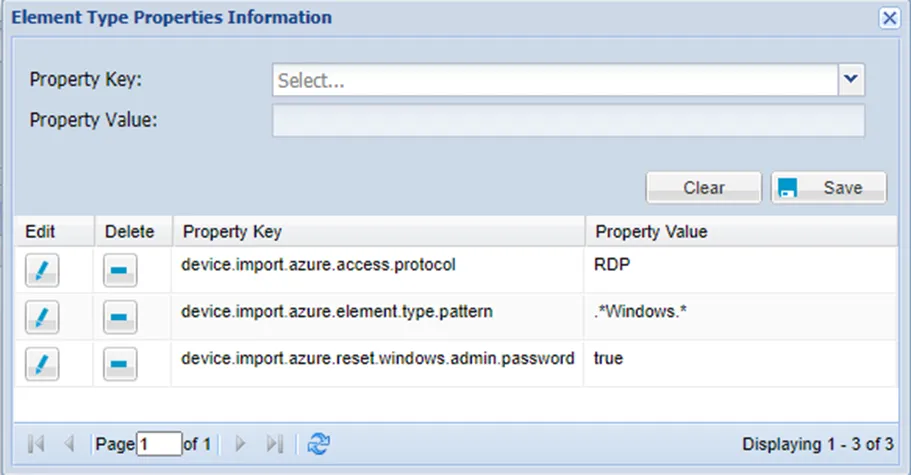
Windows Element Type Parameters
- Define the Azure Device Import job if it is not defined yet. Refer to section Creating Azure Device Import Jobs.
- Add a Device Group tag according to the steps outlined in section Adding Azure Devices to specific Device Groups.
- Add an SSH key to the Secret Data vault to import the Windows Devices.
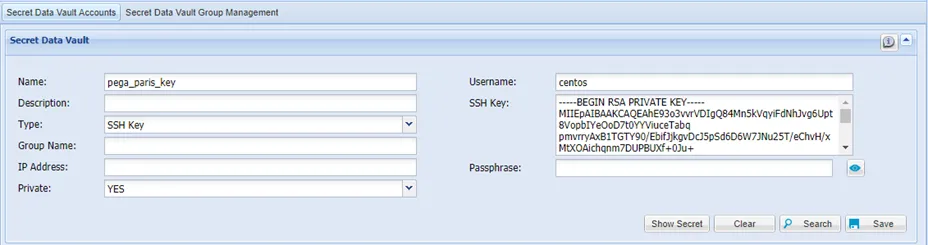
Secret Key Definition
- Trigger the Azure Device Import Job (defined in step 3) manually. The log in credential properties rdpCredentialsName and rdpUsername are automatically set in the Device Properties.
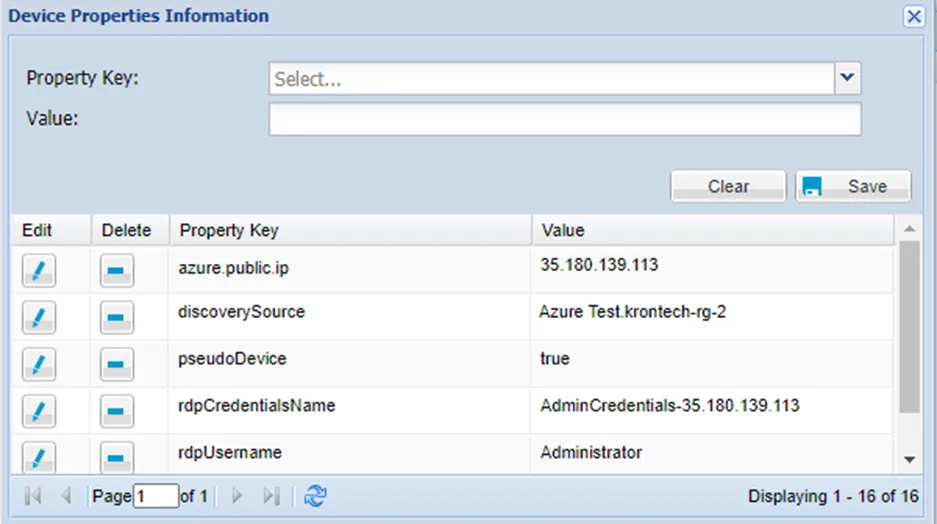
Azure Windows Device Properties
The credentials’ detail is set in the Secret Data Vault with the format AdminCredentials-publicIP, after the importing process is successful.
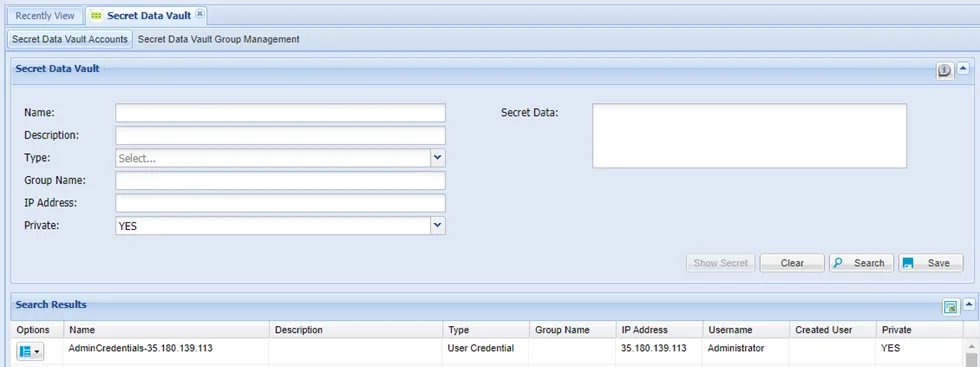
Azure Windows Device Credentials