Synching the Single Connect Mobile App
To sync Single Connect and the Single Connect Mobile App, the user’s QR code needs to be scanned. Single Connect admins can send QR codes to users. To send a QR code to a user:
- Log in to Single Connect as an Admin.
- Navigate to Administration > 2FA Provisioning.
- Open the User Token Management tab.
- Search for the user by name, open the user’s options menu, and select Send Token.
- A window pops up with the options, via SMS or via email. Select the desired option and send it.
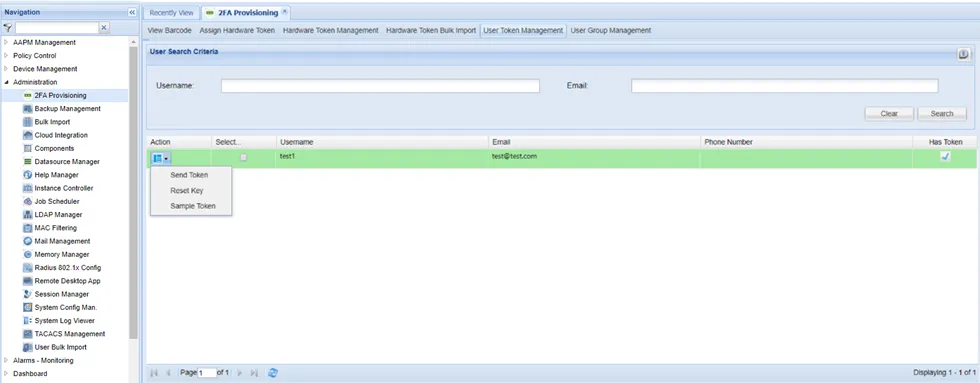
Sending token to the users