Log in to Remote Application with Secret Data Vault User
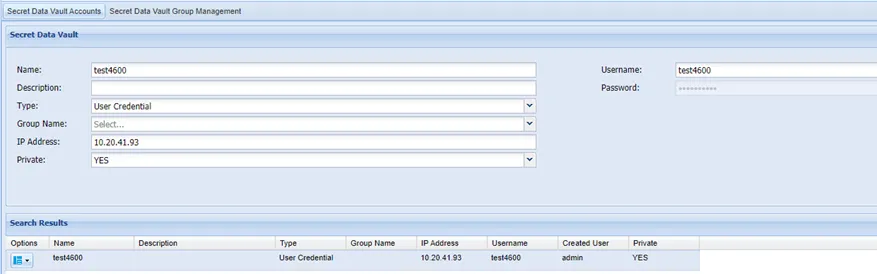
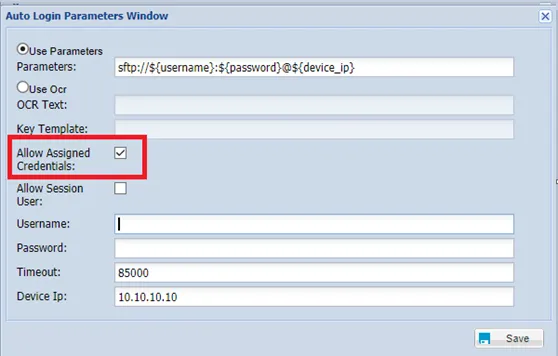
When setting up a Secret Data Vault account to connect to a Remote Application, it is important to include the correct IP address. This IP Address is the IP address of the remote app, not the jump server (RDP server). Although this parameter is not mandatory, if defined, it should be the same as the remote server’s IP address defined in the “Allow Remote App” autologin window. For instance, if the remote app is Winscp and we need to connect to “device IP” 10.10.20.21, the “IP address” parameter defined in the screen below should be 10.10.20.21. If this IP address parameter is not set, Single Connect will not look for a match. This user can be selected when using the Auto login feature. To use this account for remote app auto login, assign this credential to the session account. For more information, see Assigned Credentials in this document. .