Creating a Connection Between Single Connect and the Single Connect Mobile Application
The Single Connect mobile application is available on the Android and Apple app stores. Users need to download it first and follow these steps to synchronize Single Connect and the mobile app:
- Open the Single Connect mobile application.
- Select Offline Token > Scan QR Code.
- Use the Single Connect mobile app to scan the QR code included in the email sent by an admin.
- By scanning the QR code, the MFA key matches up the Single Connect mobile app and the Single Connect Web GUI.
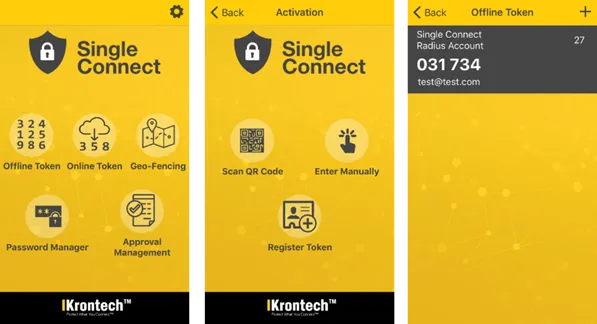
Creating Connection between Single Connect and its mobile app