Running a Script
In Privileged Task Automation, authorized users run scripts on selected devices within a device group. This section explains how you select a script, choose target devices, run the script, and view its output.
You must hold the kronpam.pta.scripts.moduleVisibility portal function, and a script realm that includes one of your user groups must grant the Play permission for the script group.

To run a script on target devices:
1. Navigate to Privileged Task Automation > Scripts.
2. In the Script Group panel, select the script group, and then locate the script that you want to run.
3. Click the green arrow button next to the script name.
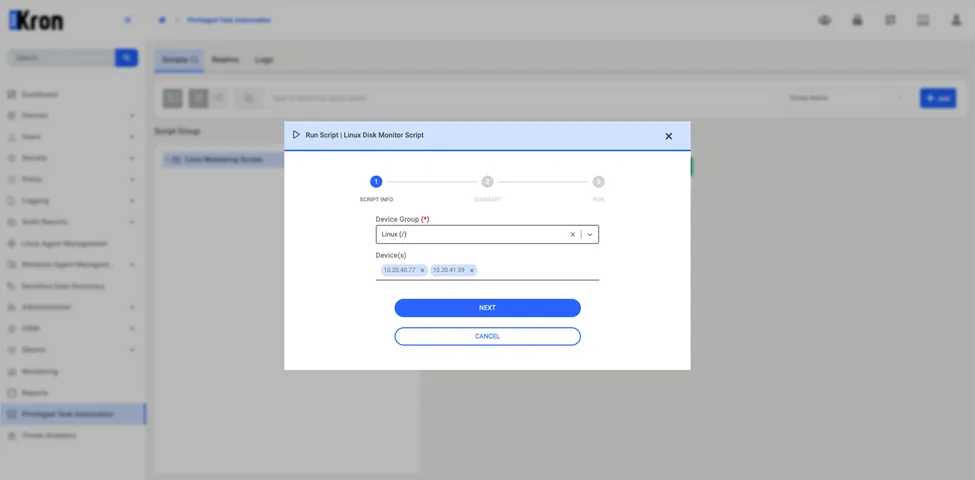
4. In the Run Script window, configure the following:
Device Group: Select the device group that contains the target devices.
Device(s): Select one or more devices from the device group.
5. Click Next to review the script details and the selected devices.
6. Review the summary, and then click Run to run the script.