Creating a New Dataset
Use the New dataset screen to create a dataset from a database table or an SQL query.
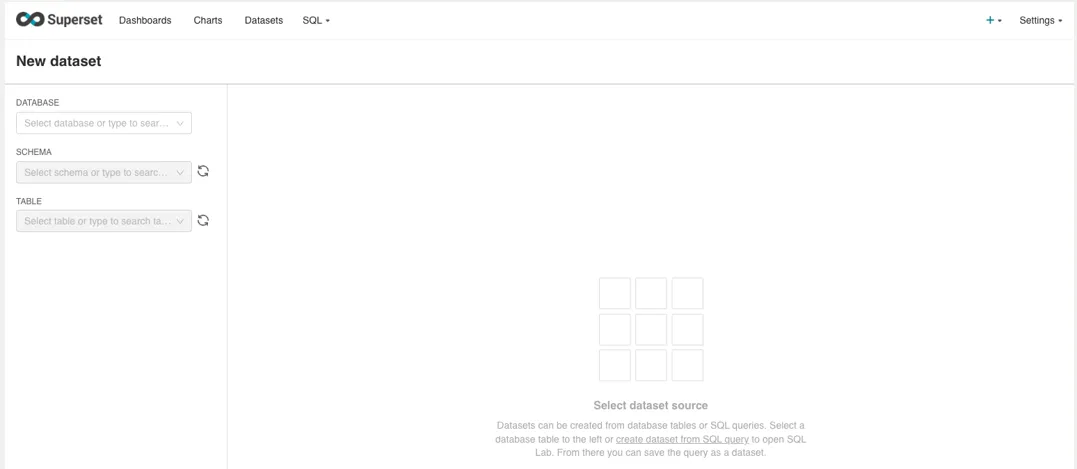
To create a dataset from a database table:
1. On the Datasets page, click + Dataset. The New dataset screen opens.
2. In the Database field, select a database.
3. In the Schema field, select a schema.
4. In the Table field, select a table. The Table columns area shows the column names and datatypes of the table.
5. Click Create Dataset and Create Chart.
To close the screen without creating a dataset, click Cancel.
To refresh the list in the Schema or Table field, click the refresh icon next to the field. Refresh a list after you change the selection in the field above it. For example, after you change the database, refresh the Schema list.
To create a dataset from an SQL query:
1. On the New dataset screen, click create dataset from SQL query. SQL Lab opens.
2. In SQL Lab, enter the query.
3. Click the arrow next to Save.
4. Select Save Dataset.