Using E-mail for MFA
The OTP generated by Kron PAM can be sent to users via E-mail. Using E-mail for MFA works in conjunction with SMS, so both SMS and E-mail are sent at the same time.
To adjust the MFA Email Settings:
- Navigate to Administration > System Configuration Manager.
- Click on to Add Button and select Add New System Parameter.
- Set the parameters: iga.2fa.send.token.via.email = true and iga.2fa.sms.http.enabled=true
- Navigate to the 2FA Provisioning Screen enable OTP and select Enable SMS for the user group.
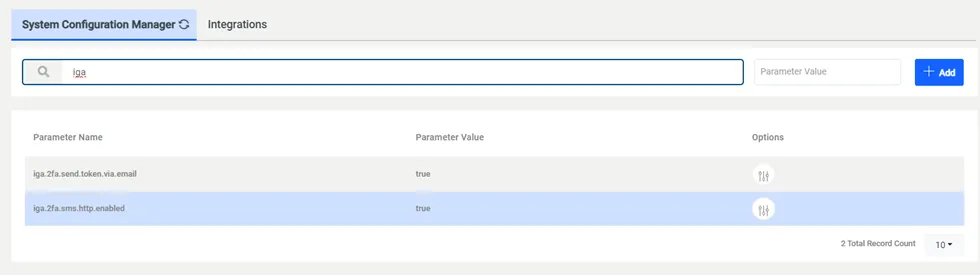
Email Settings for MFA