LDAP Integration
To assign users imported by Active Directory to different user types (PAMOnly, PAMLimited&RPAM or PAM&RPAM), the administrator must fill in the External User Attribute in the Advanced Filter section of the Add New LDAP Server sub-screen on the LDAP Integration screen.
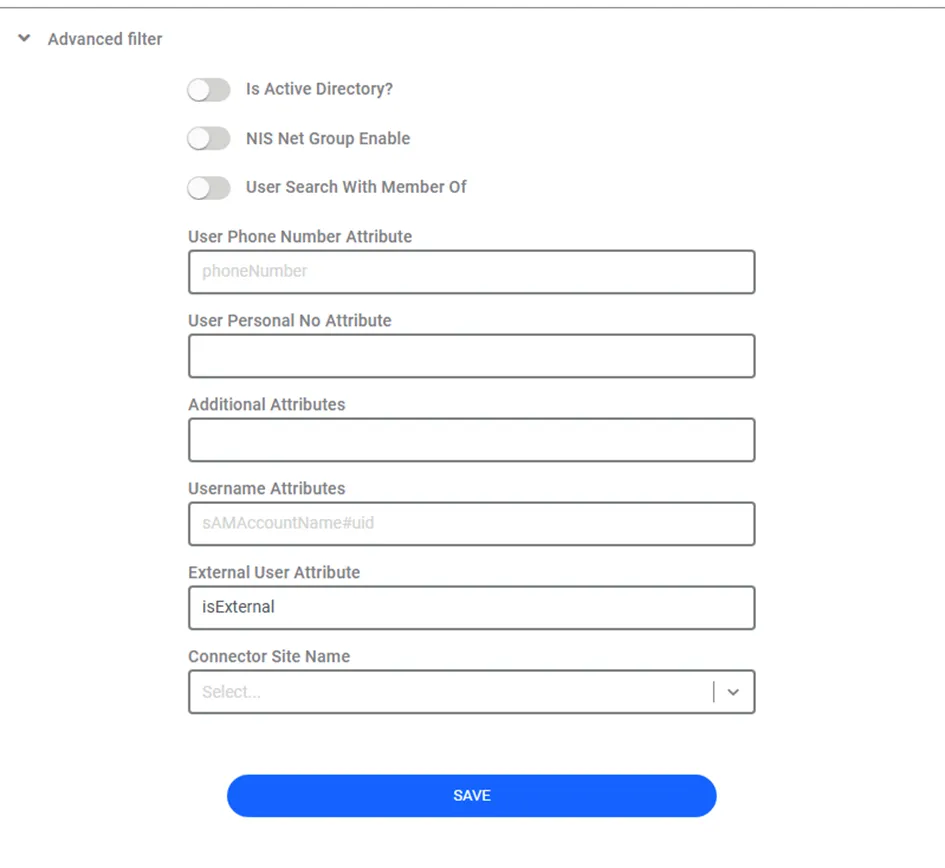
External User Attribute field accepts the attribute name entered by the administrator. After the administrator fills the attribute name (e.g., isExternal) in the text field, Kron PAM imports LDAP users with different user types by considering the attribute's values. This attribute's possible values should be external or true or 1 for indicating PAMLimited&RPAM user type, or internal or false or 0 for indicating other user types. For example, if this attribute’s name is isExternal, the value of the attribute shows whether the user type is PAMOnly, PAMLimited&RPAM or PAM&RPAM:
· If the value is external or true or 1, the user type is assigned PAMLimited&RPAM to the target user, and both External User Count and User Count values are increased by 1.
· If the value is internal or false or 0, and if the target user’s group has PAM&RPAM parameter with true value, the user type is assigned PAM&RPAM to the target user, and both RAP User Count and User Count values are increased by 1.
· If the value is internal or false or 0, and if the target user’s group has PAM&RPAM parameter with false value, the user type is assigned PAMOnly to the target user, and User Count value is increased by 1.