Encryption of Stored Files in SFTP Proxy
A user can upload or download files when connecting to an endpoint via the Kron PAM SFTP Proxy. This SFTP Proxy feature allows the transferred files to be saved on the Kron PAM server. The saved copies are encrypted and can be opened only with the key generated during the file transfer. This functionality is a security feature to analyze and investigate the transferred files in depth, by content, and not just by file names. To configure and use this functionality:
- Navigate to Policy > Portal Functions.
- Add the realm between the Sftp Download File Manager function group and the user group that will be able to see the transferred files.
- Add the single.connect.user.logs.moduleVisibility function to a function group in a realm with the related user group (i.e. add the single.connect.user.logs.moduleVisibility function to the Sftp Download File Manager portal function group)
- Navigate to Devices > Inventory > Custom Properties and set the keepTransferredFileInSftpSessions property as true.
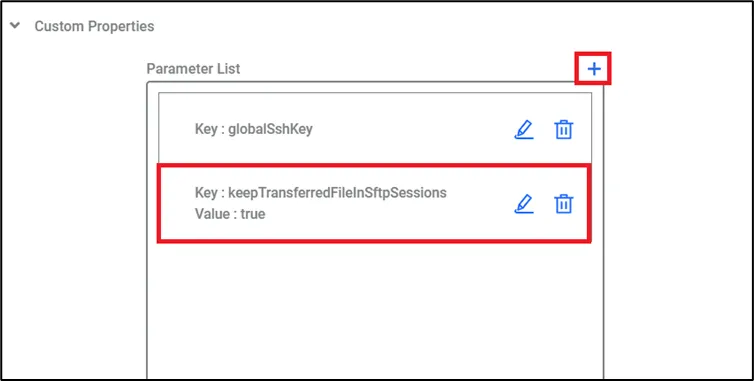
Keep Transferred File Property
- In the SFTP Proxy config file (/pam/sftp/conf/nsso.properties) on the Kron PAM installation server, set the following parameters: sftp.allowedfiletypes.tokeep (txt, png, etc.) sftp.max.filesize.limit.tokeep in Mbytes.
- Install zip for proxy server: yum install zip
- Restart the sftp-proxy service: sudo systemctl restart pam-sftp.service
If the configurations described above are completed, the users with the related portal function will be able to see the transferred files in the command logs (Logging > Session Log > Command Log).